Some of you may have discovered various websites, including some government ones, that seem to be non-functional as of today, Oct. 21.
The reason why is a serious vulnerability with PHP, a programming system that runs a great deal of the web. And one that seems is being actively exploited by certain persons.
There are fixes now available to deal with the problem but it is taking time to obtain the fixed software and install it so some sites have gone off-line completely temporarily, while others have removed acess to certain parts of their sites that might imploy the flawed code.
So just have patience. It will all sort out in a day or so.
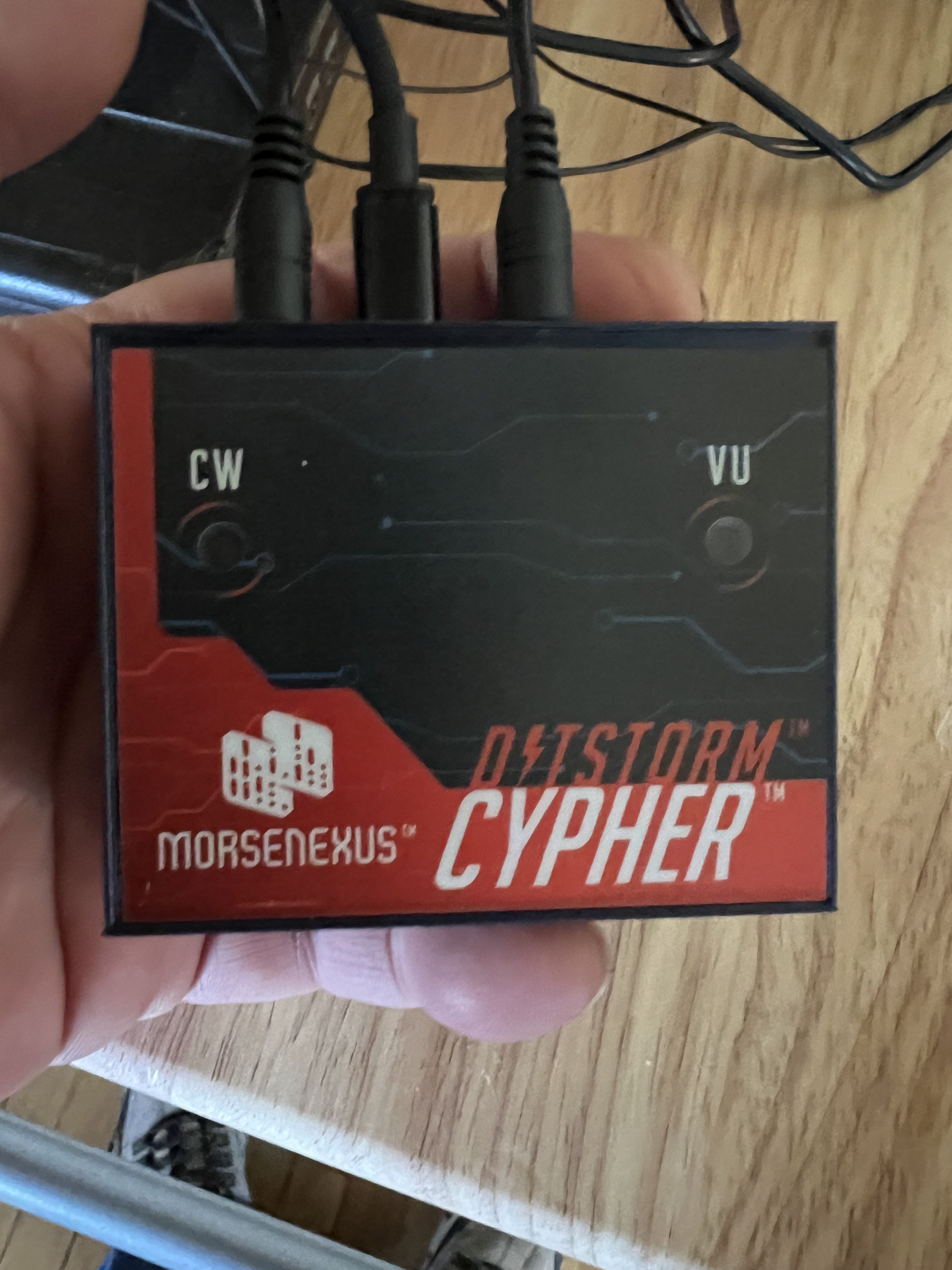
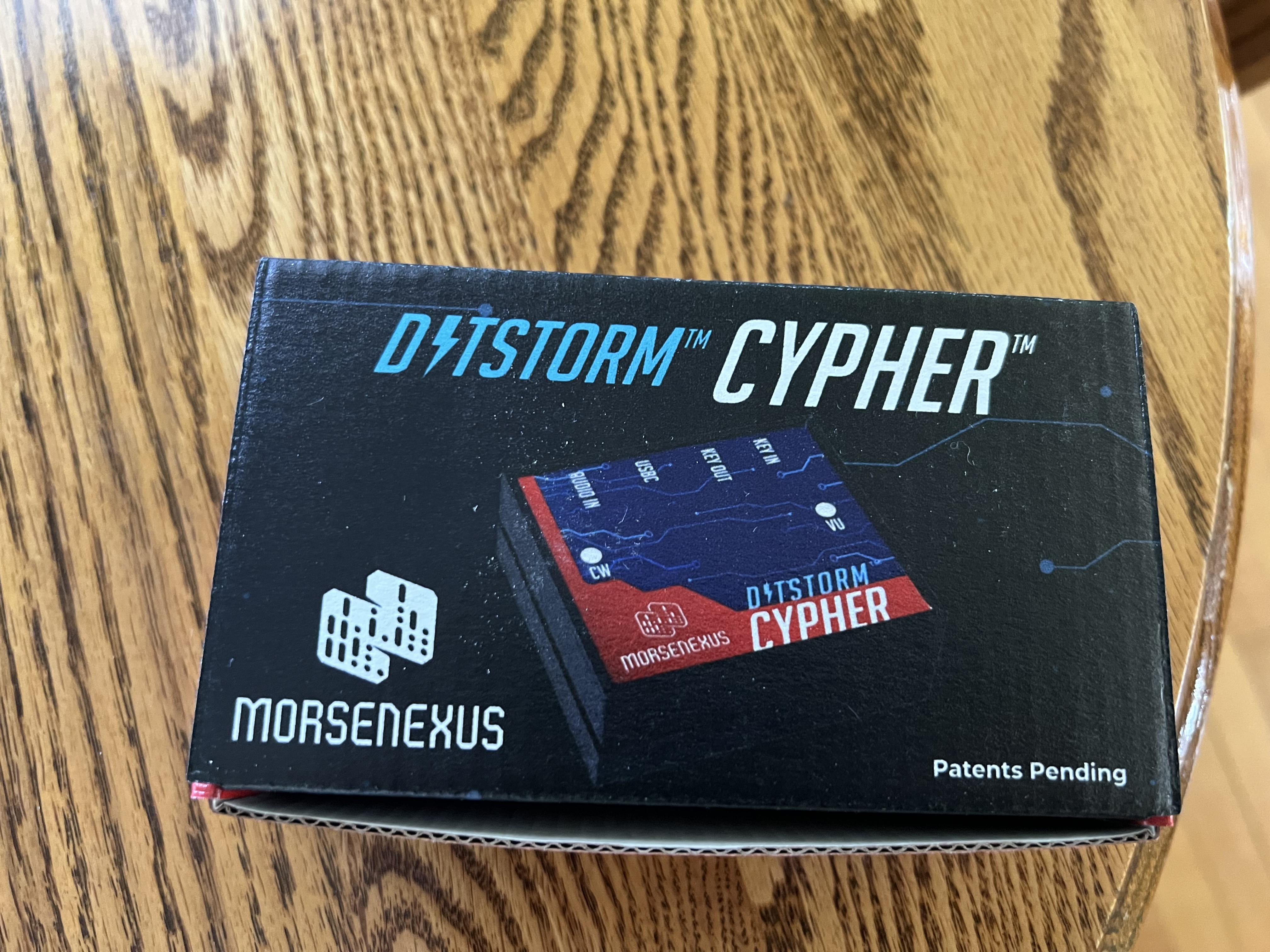
The Nomad I reviewed last time isn’t the only gadget I picked up from MorseNexus. And it isn’t really the one I was the most interested in. What I really wanted to get my hands on was that little box up there, the Ditstorm Cypher. It is a CW (morse code) decoder. I have hearing issues. Between severe tinnitus and damage to auditory nerves it’s damn near impossible for me to “hear” morse code so if I want to play with CW I need to use a decoder.
Unfortunately most CW decoders are, frankly, junk. I’m sorry but they just are. For a lot of reasons I won’t bore you with, trying to decode CW sent by human beings is extremely difficult to do. But recently there have been a few that have managed to do a reasonable job of it, and, spoiler alert, the little Cipher up there is the best of the ones that I’ve tried.
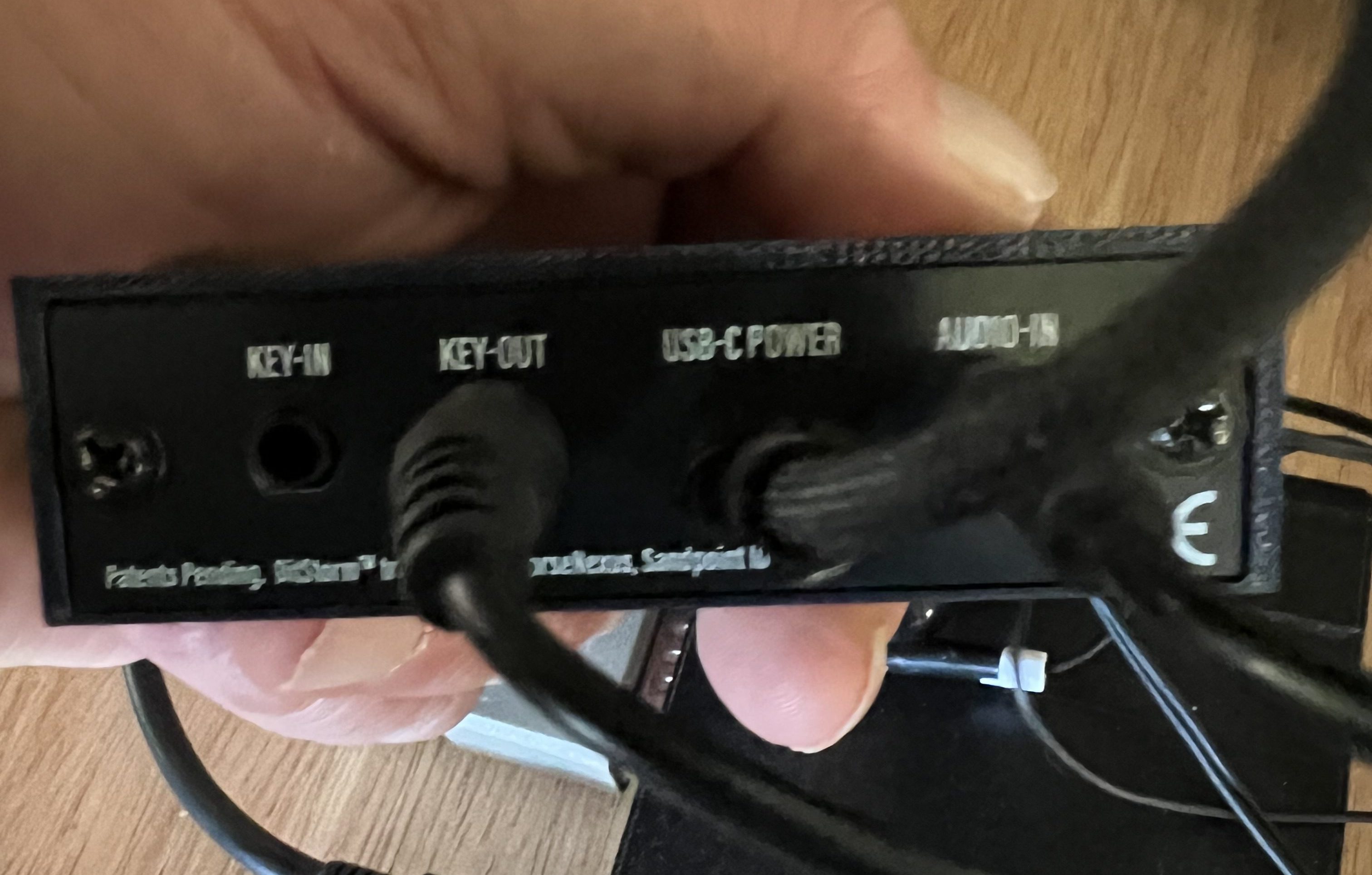
It’s a simple little box, a bit smaller than a deck of cards. There are 2 LED indicators on the top. On the back there are 4 ports. There are 3.5mm jacks for audio in, which connects to the headphone jack of your radio, Key out which goes to the port on the radio where you’d plug in a morse code key, and Key in where you can connect a manual key if you like. The USB-C port is only to supply power to the unit.
It is both very easy and a bit complex to run at the same time, to be honest. Starting it up is dirt simple. Just plug the Audio In port to the headphone jack or speaker jack of your transceiver. If you want to use it to send what you type in CW, connect the Key Out line to the port on your radio that you’d plug your morse code key into. Then just connect it to a USB power supply and turn your transceiver on.
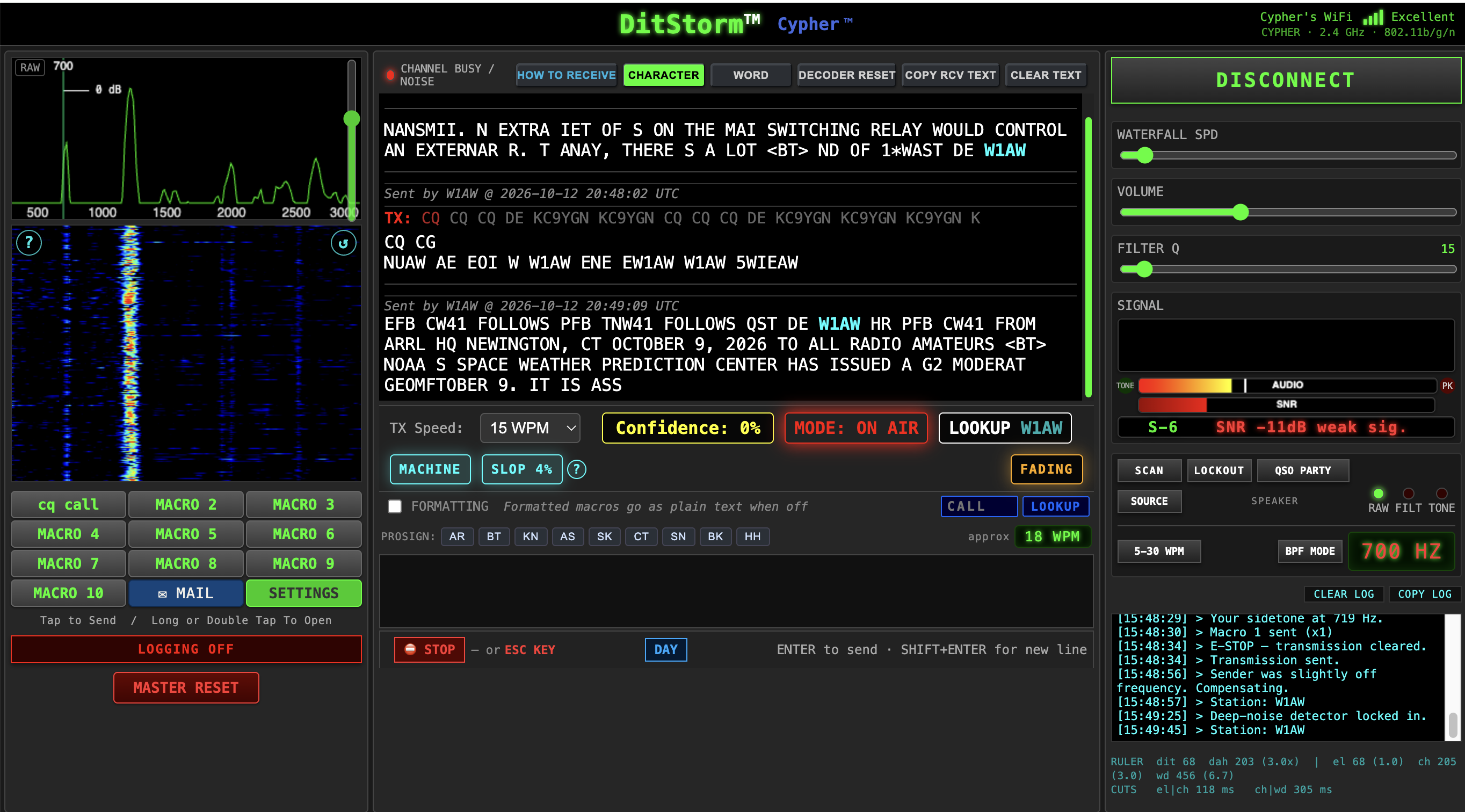
When it starts up the Cypher starts up its own WiFi service called Cypher. Switch your computer from your home WiFi to the Cypher and enter the password given in the owner’s manual to connect to it. Then open your web browser and enter cypher.local as the website you want to go to and what pops up is this:
What we have here isn’t just a dumb decoder, it is a pretty sophisticated piece of software that can be tweaked and tuned and tinkered with to get the best result possible.
And does it actually work? Why yes, it does. Here, take a look:
Here it’s decoding one of the ARRL’s CW transmissions and doing a pretty good job of it. Decoding the ARRL isn’t really difficult to do but what was impressive was that it did almost as good at decoding human sent CW and in worse conditions than this. Once in a while it was getting a more or less solid decode from signals that were buried in the background noise that I could hardly hear them at all. So this thing actually works.
Is it 100% accurate? Hell no. It’s subject to issues like noise and fading and propagation conditions and all of that. It can take it a while to “lock in” when it begins decoding. It wants to “hear” at least 30 seconds of code for a while before it sort of locks on and begins working. So it’s pretty much useless for things like contests with quick fire exchanges. But once it locks in it works better than any other decoder I’ve ever tried.
And it is still under active development, improving both the decoder and the user interface. A new firmware revision came out right before I wrote this that improved both the user interface and the decoder.
And because apparently all of the processing is done in the box itself and all we’re dealing with is a web based interface, it is computer independent. It will work with just about any device or operating system that has a web browser. I used it with Chrome and Safari both my Macbook. It worked equally well on my iPad Air.
I’ve had it connected to 3 different transceivers, my Kenwood TS-990, a Yaesu FT-450D and my FT-818 and it’s worked well with each of them.
So if you have hearing issues like I do or just want to mess around with CW you might want to look at this. Current cost is around $189, which isn’t cheap but all things considered it’s not expensive either.
(Note: At times I’m probably going to be using jargon that you aren’t going to be familiar with unless you’re an amateur radio operator. I’ll try to explain terminology as a go along but if I forget let me know in the comments and I’ll explain.)
Sidenote: So what’s with this QRP and CW stuff? A lot of amateur radio operators feel that if something is worth doing, it’s worth doing in the most difficult way possible. So we do weird things like literally using the Moon as a giant reflector to bounce signals off of. Seriously. EME (Earth-Moon-Earth) is a thing in amateur radio. And a lot of us enjoy doing QRP, communicating with the least amount of power possible. Most ham transceivers have outputs of 100W or more. Then we add in amplifiers that kick that up to 1,500W. Us QRP people think that’s silly. QRP is “officially” 10W or less according to the ARRL. Most of us operate at 5W or less. And as for CW, that’s an abbreviation of the term “continuous wave”, which really is just good old fashioned Morse Code that’s been around since the mid 1800s.
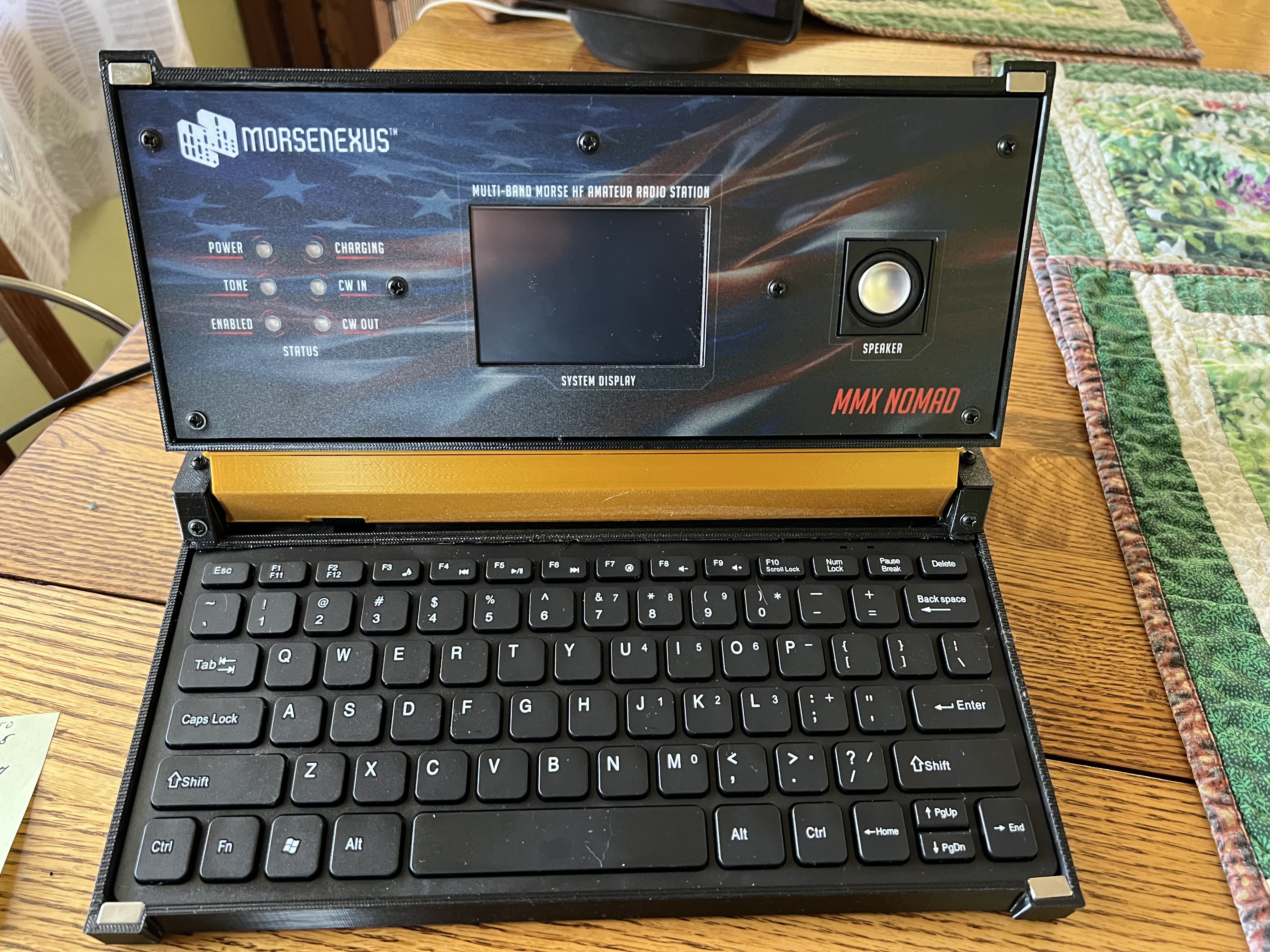
For you amateur radio operators out there, this is my new toy:
That’s not some kind of weird laptop up there. That is an amateur radio transceiver, the MMX Nomad from a company called MorseNexus, formerly called Preppcom. The company has been around since about 2017, I think. And I should mention there is just a wee bit of controversy going on here for a couple of reasons, but I’ll come to that in a moment.
The Nomad isn’t a new product, it came out about 2 years ago, and previous versions of this rig, which didn’t come in the fancy case and required an external keyboard, have been around since about 2017 or so. The claim to fame for all of these transceivers from Morseexus is that not only are they QRP radios, they’re CW decoders as well. The claim is that you don’t need to know morse code in order to actually use morse code if you have one of these. It decodes the CW you hear into plain English, and sends what you type in English as CW over the air.
I have to warn you that there is a bit of controversy involving this radio and its brethren. It doesn’t have anything to do with how well these things work, so I’ll wait until the end to bring that up.
Normally I wouldn’t bother reviewing a two year old product becasue you’d think there would be dozens, if not hundreds of reviews out there already. But there aren’t. At least not for the Nomad. I’ve found a few but those seemed to be more interested in following the “CW decoders = Spawn of Satan” nonsense than in actually looking at how well the radio actually worked. Me? All I care about is if it actually works as advertised.
So what is the Nomad? It’s a QRP (low power, 3 – 5 watts output) CW only, three band transceiver. It operates on 80, 40 and 20 meters.
Ooo! UPS guy left me goodies! New portable antenna!
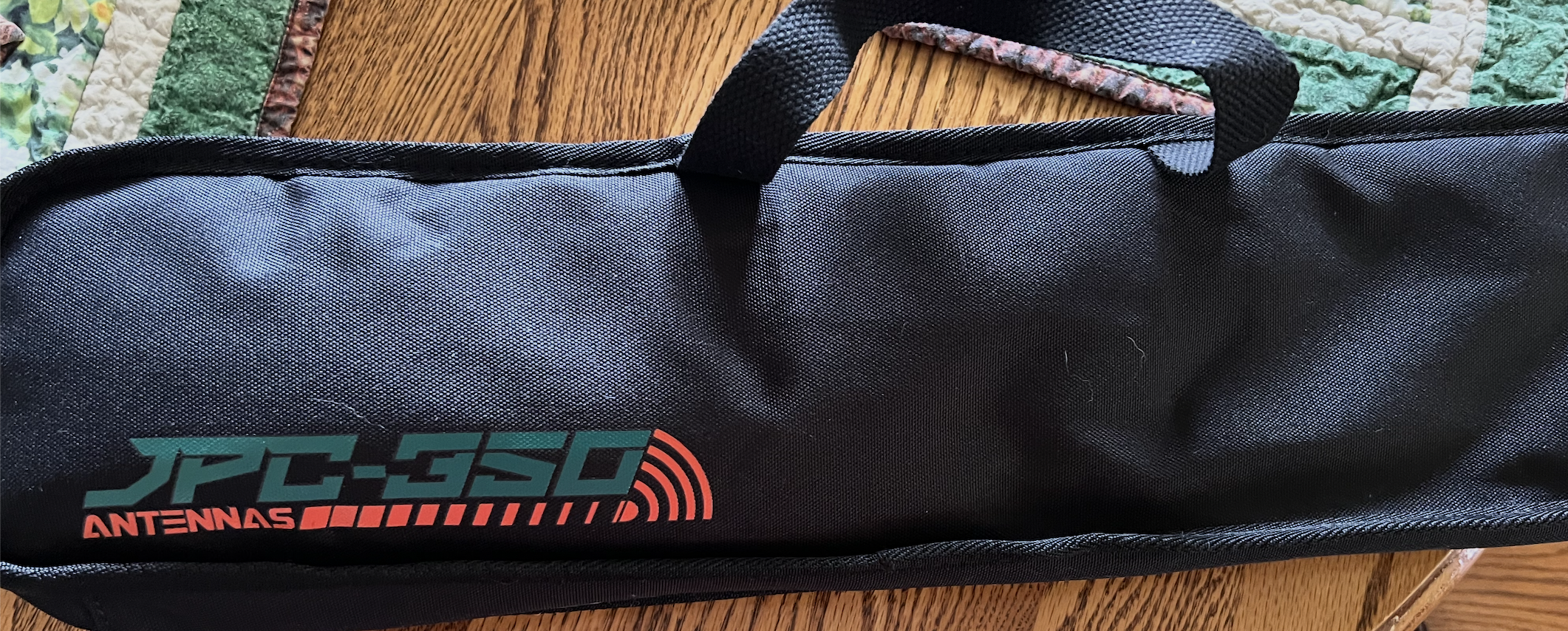
I set it up on the kitchen table (MrsGF is extremely patient with me and my little eccentricities, which is why we’re still happily married after 44 years <grin>) I set it up with my portable Alpha Magloop antenna on a small tripod for testing. that’s the antenna I’ve been packing along when I’ve taken the Yaesu Ft-818 out on the trails with me and it works pretty well and is quite compact when broken down. However it won’t tune down to 80 meters so for testing the Nomad I’ve only been able to use 20 and 40 meters. But the nice UPS driver recently dropped off that antenna up there on the right on my front doorstep, a vertical that’s supposed to work on 80 – 10 meters so in the near future I’ll be taking a look at that and trying to get the Nomad down on 80 meters to see how that works so you might hear more about this in the future.
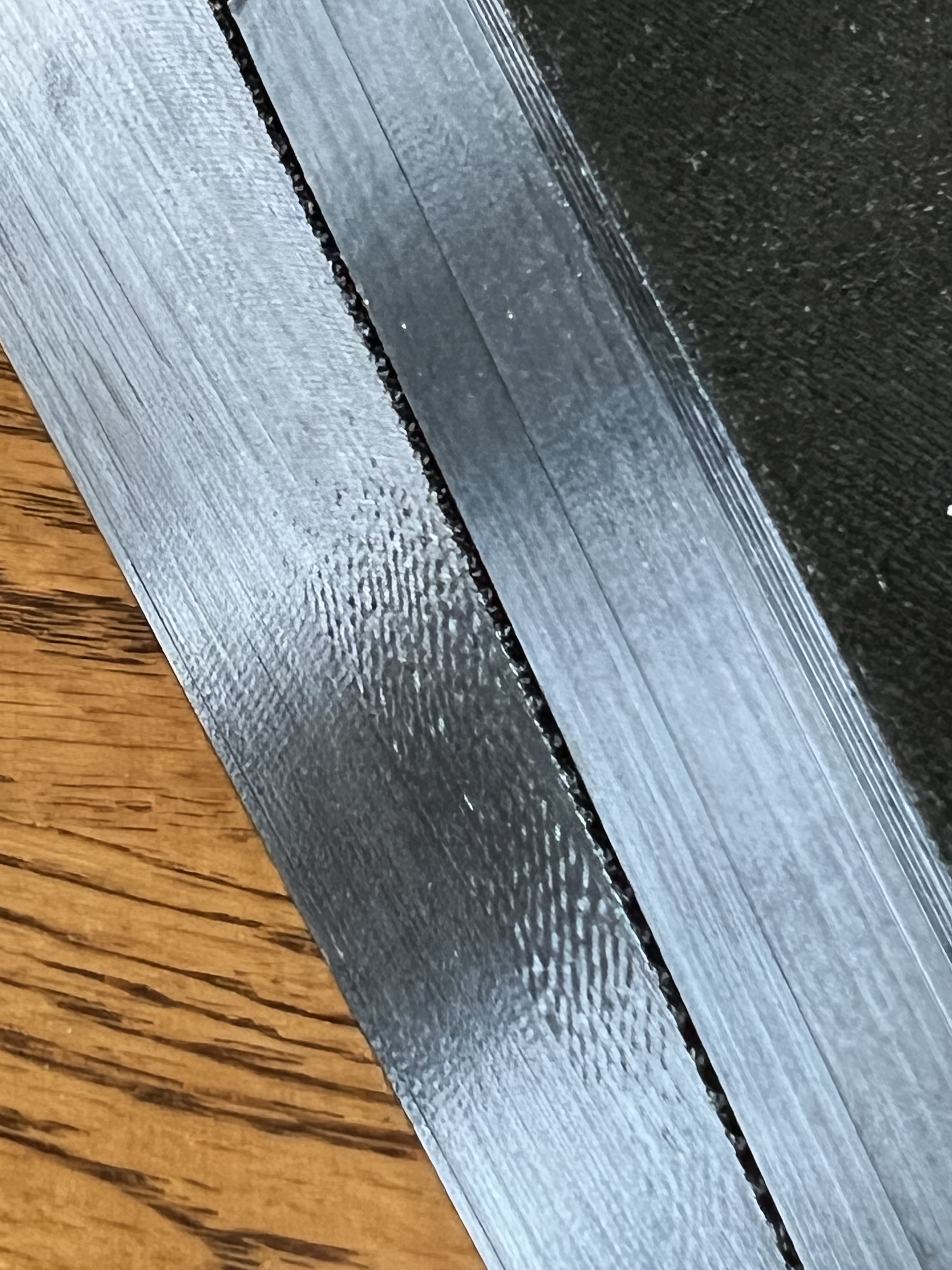
Crappy 3D print jobs like this don’t inspire confidence in a product.
It comes in a 3D printed plastic case which looks impressive at first glance, but once you look at it more closely, well, look at the side of the case in that photo up there. The case has almost razor sharp edges, sand paper like texture, what feels like some of the nastiest plastics I’ve ever had the misfortune to touch, and made with a 3D printer that looks like it’s badly in need of calibration and had the wrong temperatures, extrusion rates and travel speed set up for the filament that was being used. Come on, guys. Seriously? You’re selling this radio for $569. It should look better than this. Am I nit picking? Well, yeah, I guess I am. But at this price point getting a radio in a cheap, badly made 3D printed case doesn’t exactly inspire confidence in the overall quality of the product when the buyer opens the box and pulls it out.
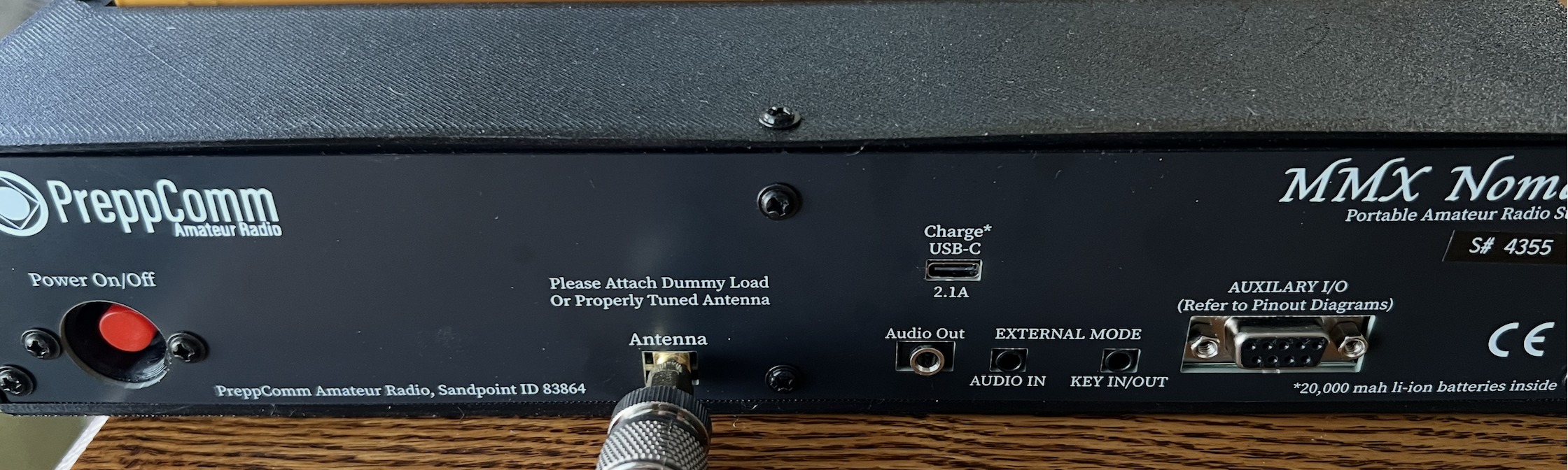
The back of the case and the various connectors are pretty simple. There’s the on off button on the left, the antenna connector in the center. The USB-C port seems to be only for charging the battery. The battery is a rechargable lithium and it can be easily replaced by removing 4 screws if necessary. Battery life is quite good. I’ve been playing with it for many hours after fully charging it and it still shows almost full. Any standard 5V usb power brick should work to charge it. Three jacks are for audio out, audio in, and for connecting a manual CW key if you’d rather do that than use the keyboard. It works only with a standard straight key, not an iambic paddle. What looks like an RS-232 port actually isn’t. That gives you access to various control/data lines to connect external devices. I won’t go into that because I’m not really interested and didn’t try messing with it.
Warning: Do not even turn on the radio without having a dummy load or an antenna connected to the antenna port!
Seriously. Any time you have the radio turned on, whether you’re transmitting with it or not, you have to have an antenna or dummy load connected the antenna port on the back. And, of course, mine didn’t come with a dummy load. That seems to be a $10 optional accessory. I find that even more discouraging than the badly made case. This thing absolutely, positively needs to come with that dummy load packed with the radio and even already attached to the antenna port.
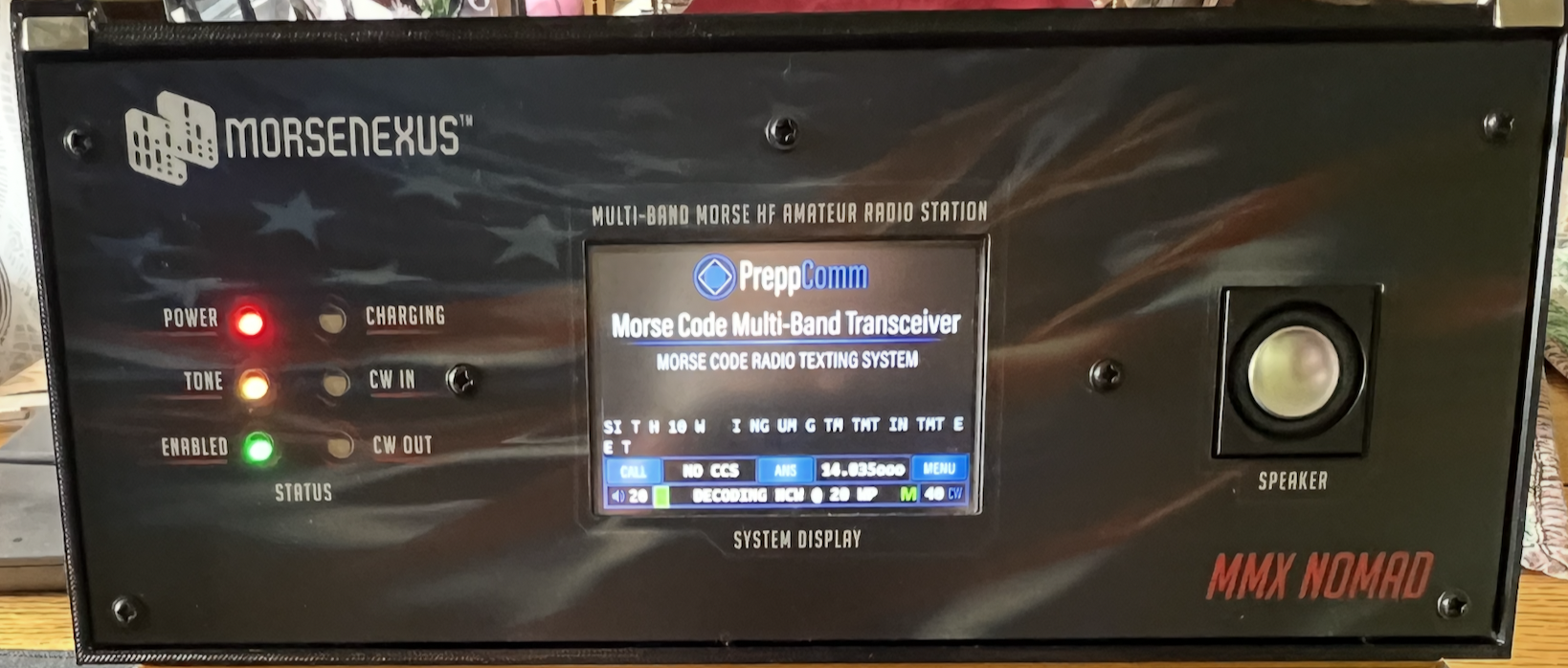
The screen is a full color touch screen that is crisp and clear with an excellent back light. Although far smaller than I’d like, it doesn’t really need to be bigger than this for this application. To the left of the screen are 6 status LEDs that give you information about the operational conditions of the radio.
The touch screen is reasonably responsive and works about as well as other screens of this type that I’ve dealt with in the past. Which means it’s awkward to use and occasionally slow to respond to touches. I’ve worked with screens like this with Arduino applications and this is fairly typical of the inexpensive screens I’ve sourced from companies like Elegoo.
The silver button to the right of the screen is a speaker and you’d be surprised at how many people completely ignore the “SPEAKER” label and mistake it for the on button and start stabbing at it with a finger.
Operating the radio is relatively simple and, at least at first, enormously irritating. Operational controls are split between the keyboard and the touch screen. First you need to touch the MENU button on the screen and go through a setup process.That’s simple. Just enter your call sign and then select your class of license: technician, advanced, general or extra. The radio remembers your call sign and inserts it when necessary when calling CQ or when having a conversation with someone. It also remembers your license class and will not permit you to transmit outside of the frequency range your license class is restricted to.
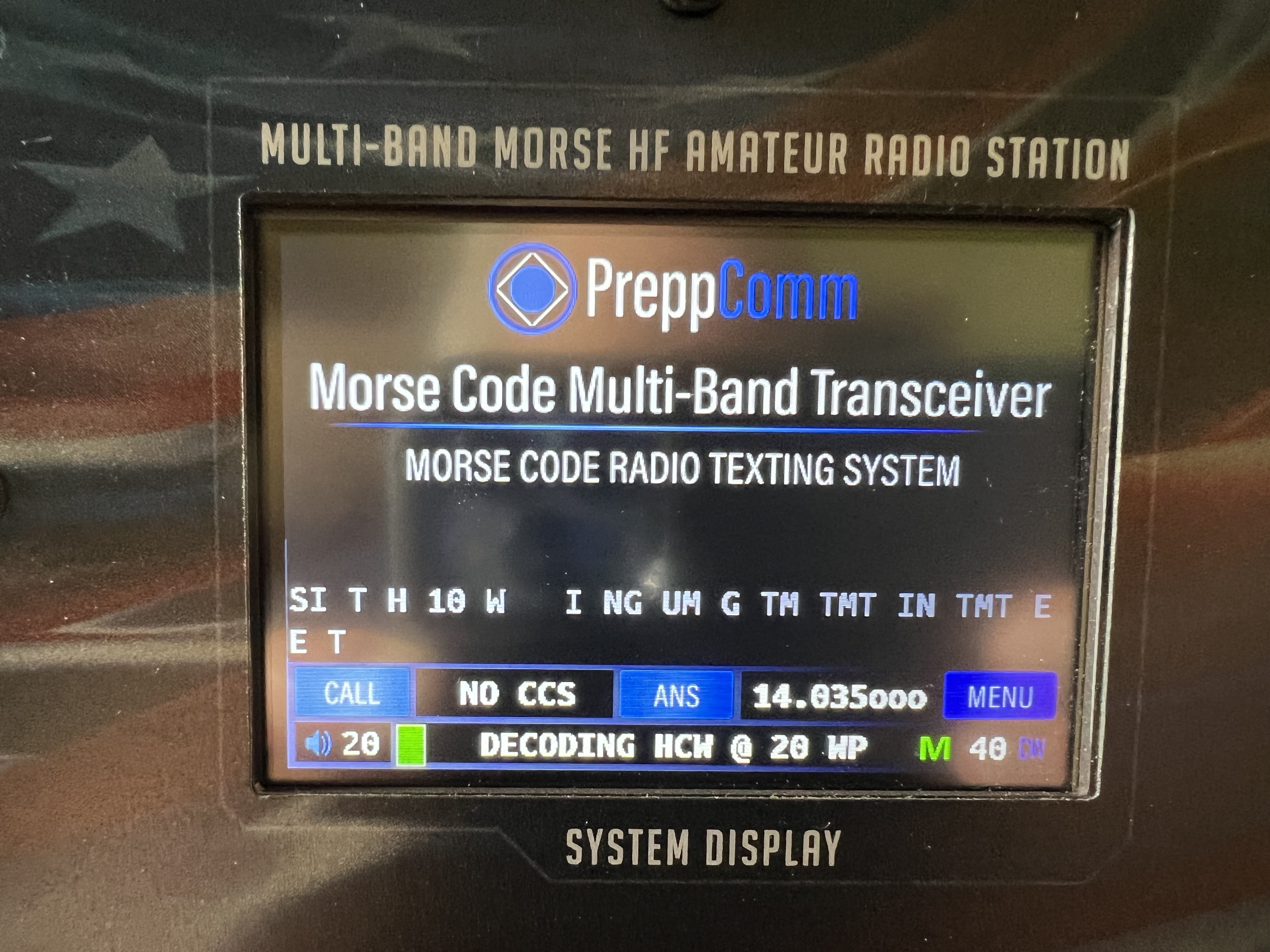
You select which band to use, 80, 40 or 20, by touching the area where you see the frequency (14.035 in the photo). That switches you between the three bands or the “external” option where you’d use the Nomad mostly as a decoder with an external radio.
Once you’re on the band you want to use, you use the left and right arrow keys to actually change frequency. And this is where things begin to become annoying once again, because the up and down arrows control the number of decimal places in the frequency. If you look at the display up there, you’ll see it reads 14.035ooo. The letter ‘o’ indicates that those decimal places are not used. If I were to use the left arrow key to go down in frequency, the display would change to 14.034ooo. If I were to touch the up or down arrow, the letter ‘o’ following the 4 would change to a 0 (the number zero) and now the frequency would change from 034ooo to 0341oo if I pressed the right arrow key.
Personally I hate this. I suppose I’ll get used to it in time but I would much rather have preferred a rotary encoder to turn than stabbing at arrow keys.
The greater and less than keys < and > are used to decrease or increase the volume. While SHIFt< and SHIFT > decreases or increases the sensitivity of the CW decoder.
Other functions are Shift-H which switches between “Medium” power, about 2-3 watts depending on what band you’re using, and “High” power, about 4 – 6 watts. There is no low power option.
A very useful feature is hitting Shift-T, which puts the radio into tune mode. It transmits a low power tone and measures the amount of power being reflected back to the radio to let you tune your antenna for maximum efficiency. It puts up a bar scale and I tune the magloop until the bar is as far left as possible in the green. If the bar turns red, the transmitter isn’t properly matched to the antenna and you shouldn’t try transmitting until you take care of that situation.
To actually transmit and receive you have to resort to the touch screen. There are two buttons we’re concerned with here, CQ and ANS. CQ is, as you might imagine, the option to call CQ on the frequency you’re on. It will send a CQ, automatically inserting your call sign in the right places, until you press CALL again and it will wrap up the current transmission ending with a “K” after your final call sign transmission. If you want to answer a call or are chatting with someone, you’d press the ANS button and then type your response/message on the keyboard and it will send it at the speed you’ve set in the menu during setup.
So the question now is, does this thing actually work? And the answer is, well, yes. And it works pretty well, too. Mostly. Sort of.
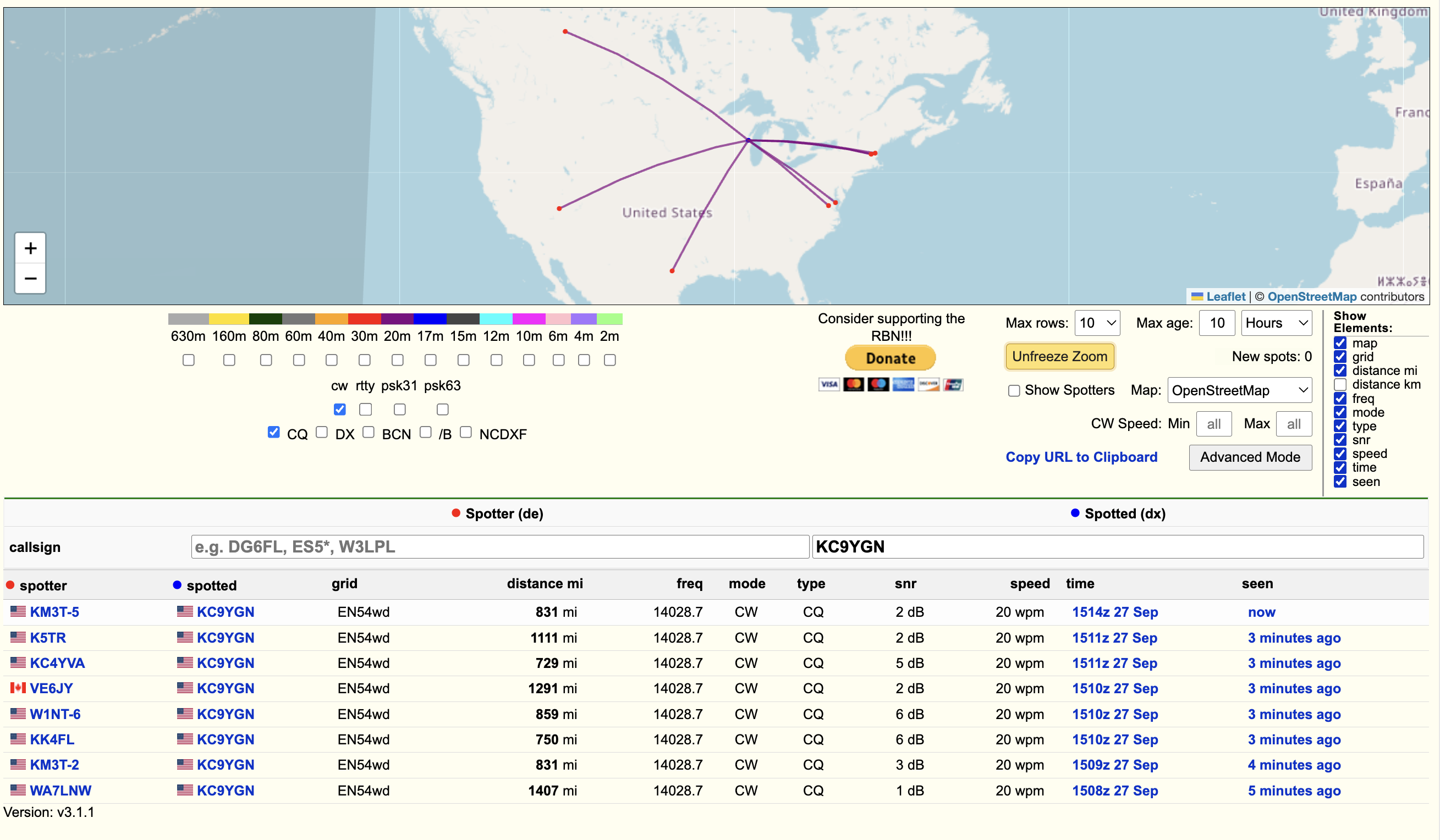
Back on Sept. 27 I was playing around with it and sent a CQ a few times to see if I could make a contact. I didn’t, but I pulled up the Reverse Beacon Network and plugged in my callsign and there I was.
Now that’s not bad, 8 stations heard me transmitting at 3 watts using a magloop antenna set up next to my kitchen table? Several of them over 1,000 miles away? Neat.
So what about receiveing and that decoder thingie? Does that work? Here, see for yourself.
So definitely, yes, it works not only as a receiver but as a CW decoder as well. The advertising over-hypes things a bit and its capabilities are exaggerated, but there’s no doubt it actually does work.
The radio does have problems, though. I already mentioned the 3D printed case and a few other things like the way it changes frequency.
But it’s the decoder that’s an issue here. CW decoders have been around for years, and they all suffer from the same problems, and that includes this one. For them to work properly you need a relatively strong, fade free signal, and someone sending clean, well timed code. And lets face it, a lot of guys out there have a sloppy fist when sending. Varying length dits and dahs, variable spacing between letters and words, etc. This makes it enormously difficult to decode because of all the variables involved. The decoder in the Nomad? I’d rate it a bit above average, but not much better than that.
It struggles badly when the band is crowded with signals. Tuning is very fiddly. Just because a CW signal sounds good to your ear, that doesn’t mean it sounds good to the decoder. I’ve latched onto extremely strong, clear signals that I even me, with my bad hearing, could make out some of it, but the decoder didn’t even recognize it as a CW signal unless I slowly and carefully increased or decreased the frequency until it “caught” it.
I imagine that as I use it more I’ll get used to its little quirks, but…
You know what’s really, really frustrating about this radio? This thing could have been a home run if they’d just paid a little more attention to detail, refined the software and made some changes here and there.
On the off chance someone at MorseNexus is reading this, here are a few suggestions.
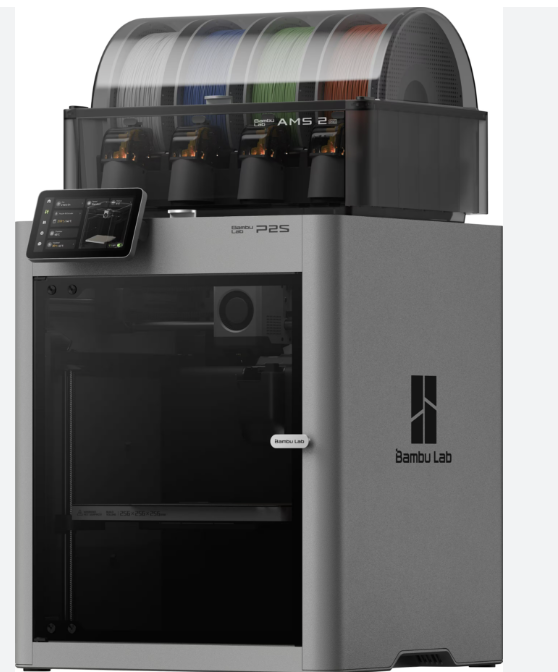
Start with a better looking case. 3D printed is just fine, but for heaven’s sake use a halfway decent printer! Modern 3D printers like my Bambu P2S does such a good job that it’s difficult to tell the stuff it puts out was made with a filament printer at all. And the materials available for printing are light years better than what was used to make this case.
Use a larger screen. There are excellent 7″ touch screens out there that are better than what you’re using, and are in the $35 – $65 price range. Really excellent ones can be had for around $100.
An added benefit of going with a larger screen is that you could move a lot of the awkward keyboard controls to soft buttons on a larger screen.
I don’t know what kind of hardware/processor the Nomad is running so I don’t know if this is possible, but while CW is fun and all of that, what this radio could really benefit from is adding the JS8Call protocol to it. JS8 uses much the same extremely efficient system FT8 uses, but can be used for actual communications.
Absolutely you need to add protective circuitry to the transmitter so the danger of blowing the transmitter from just turning the radio on without an antenna or dummy load goes away.
Changing frequency like you do now? It sucks. I’m sorry, but it just sucks big time. You need a rotary encoder, a knob or rotary control over some kind set in the case to change frequency.
What I’d like to see is a Nomad or Nomad like transceiver that has the Ditstorm Cypher decoding technology built into it, along with JS8Call capabilities, a 7 or 10 inch display, in a nice, attractive, self contained portable package. I’m sure that would increase manufacturing costs dramatically. It would probably require a more powerful processor, more memory, upgraded components, etc. but I for one would absolutely buy one.
But enough. That’s the Nomad. It’s a decent, fun little QRP CW transceiver and I’m enjoying it a great deal and hopefully I’ll get out on the road with it either on the bike or in the car to try making contacts from strange and exotic places like, oh, the Walmart parking lot or something?
Oh, I almost forgot. I mentioned controversy regarding these radios, didn’t I? Let’s take a look at what the issue is here.
It concerns CW decoders in general. If you want to see what I mean go to one of the forums on QRZ or one of the other places hams hang out and dare to suggest that CW decoders are a good thing. If you do, wear a heavy rain coat, high boots and face protection because I guarantee the shit will fly. As far as the “good ole boys” are concerned, CW decoders are the spawn of Satan. They had to smelt their own copper ore to make wire, had to blow their own glass to make vacuum tubes, and damn it, if they had to learn CW the “hard way”, so do you. Decoders don’t work. At all, they will tell you, and their use will lead to insanity, blindness, leprosy, and the end of the world as we know it.
Now things have moderated a bit over the last, oh, 10 years or so. A lot of hams don’t give a fig if you use a decoder or not. They’re just happy that you’re using your radio and having fun with it. But there are always a few jerks lurking in the woodwork waiting to pounce on someone who dares to do something contrary to their beliefs.
So when Morse Nexus came out with it’s first decoder/transceiver, it was met with considerable scorn from the amateur radio community. Even after the ARRL reviewed one and discovered it was a relatively decent little radio, it didn’t seem to matter.
I choose to ignore the “good ole boys” and so should you. I have hearing issues. Thanks to severe tinnitus and nerve damage, I have extreme difficulty deciphering CW. There’s no way I could carry on an actual conversation with someone except under extremely rare circumstances without resorting to a decoder. And there are a lot of people like me with hearing damage or even completely deaf who would love to use CW, and can with a decoder. So the good ole boys? Feck them. And the horse they rode in on.
Coming soon. Maybe? I also picked up one of these from MoresNexus
This is their stand alone super duper supposedly AI powered decoder. I haven’t had a chance to even take it out of the box yet but if half of the claims they make for this are true, this could be very interesting indeed. I think I’ll have to dig out my Yaesu FT-818 to be able to test this one so it may be a while before I get around to this one.
Not the best image I’ve ever seen of this object but considering that’s just a 20 minute exposure taken from the driveway behind the house, surrounded by street lights and lights from the neighbors and taken with a telescope the size of a lunch box, it’s not bad at all. Taken with a SeeStar S30 Pro around 10 PM local time.
Background: Often called the Bubble Nebula because if you zoom in up there you’ll see what looks like a bubble being blown in the middle of the image. At the center of that is a very hot, very bright and very big star known as SAO 20575. This is a massive, blue-white O type star that has 45 times the mass of our sun and is thousands of times brighter. It’s about 7500 light years from Earth. It’s not only putting out enormous amounts of radiation, it’s also producing a “stellar wind”, material being blown off the star, at about four million miles per hour. The stellar wind impacting the surrounding molecular cloud causes a sort of shock wave effect that makes the bubble structure and the intense radiation causes the gas cloud to “light up” so to speak.
SAO 20575 is doomed to an early death. It’s still an infant, so to speak. It’s only about 2 million years old but when it comes to stars, bigger isn’t better. Stars this size burn through their nuclear fuel faster than a keg of beer at a frat party. It’s already burned through all of its hydrogen and is burning helium now. In another few million years, maybe 10 or 12, it will run out of fuel and gravity will take over. It will collapse in on itself and blow up in a spectacular fashion ending in a supernova.
Here’s a short video of Marvelous Mercy The Wonder Cat (yes, that’s really her name) being annoyed by a disembodied hand just because there aren’t enough cat videos on the internet.
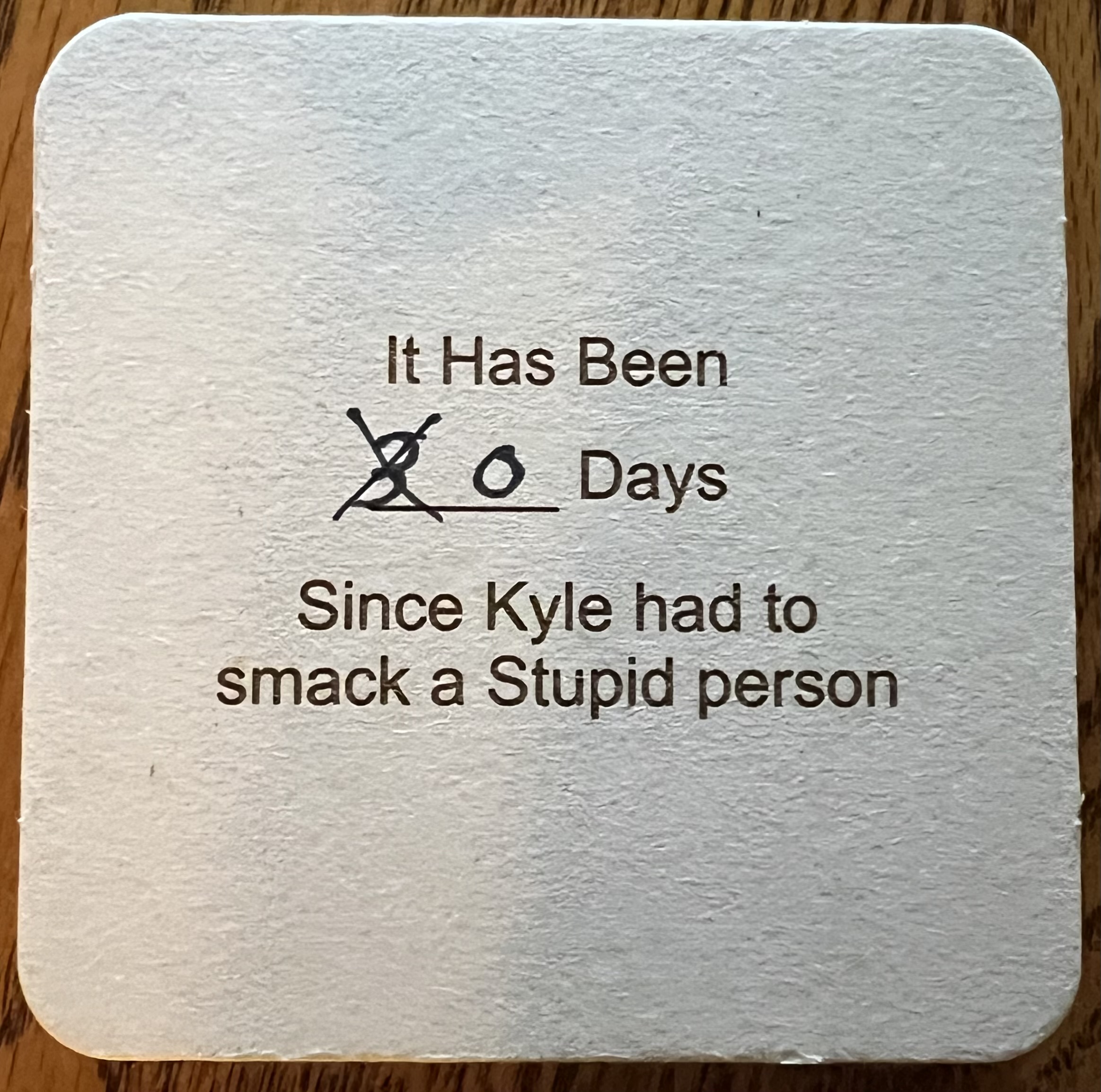
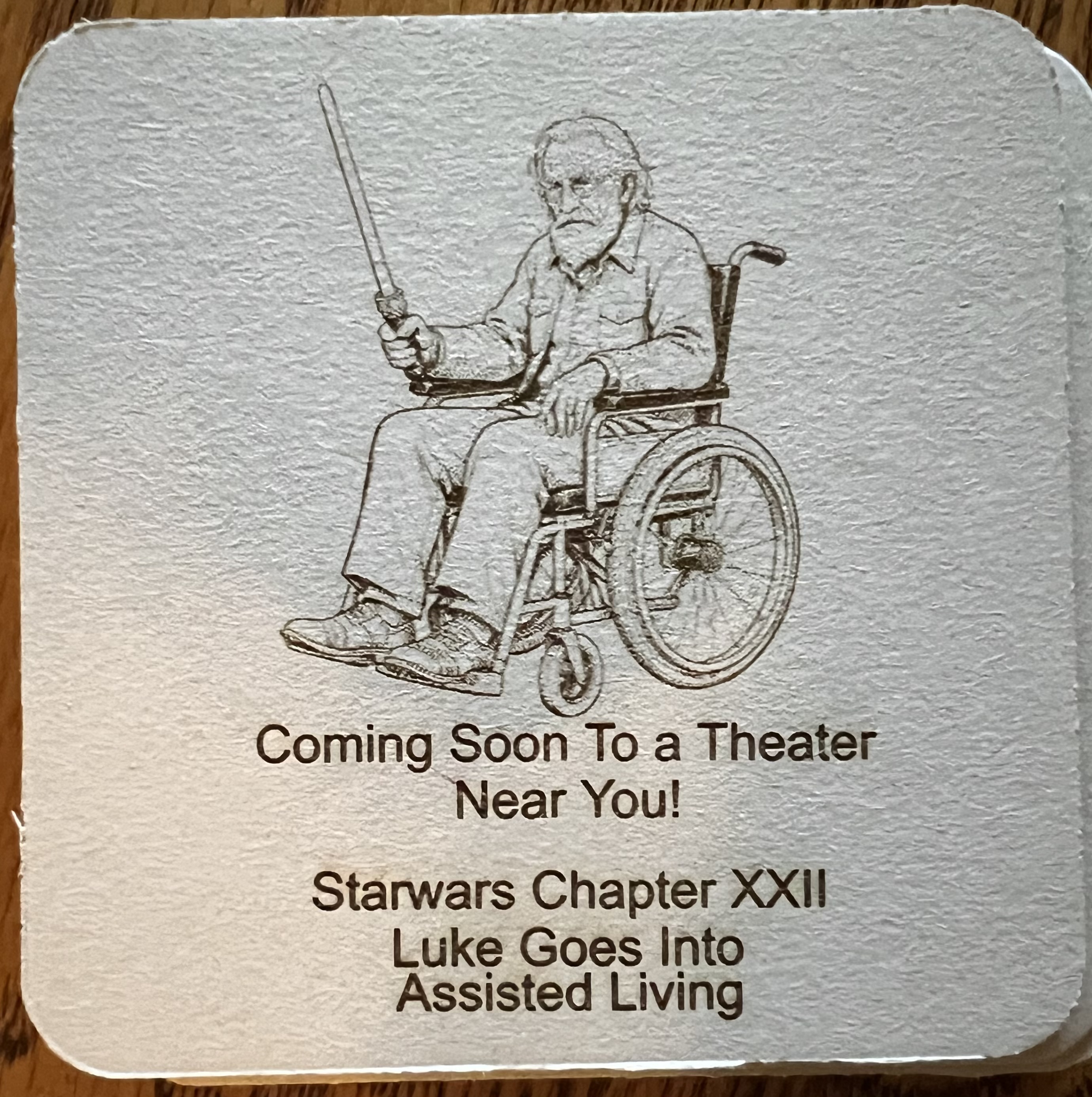
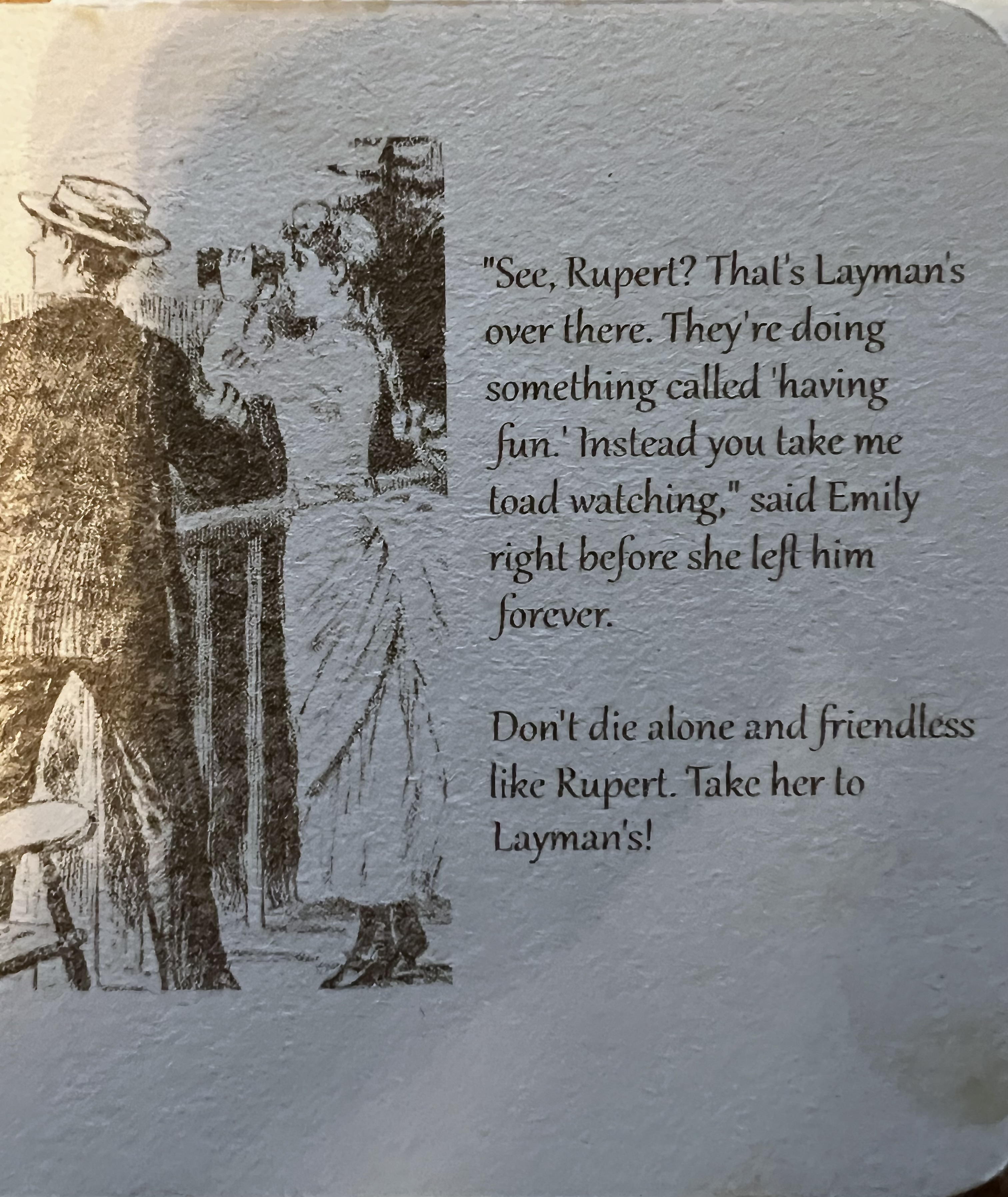
One of the things I do is make allegedly humorous drinks coasters for the brewpub down in Milwaukee. They’re done on cheap heavy paperboard and I crank them out by the dozen because they go through a lot of them. The Layman’s logo is on one side and there’s a joke or cartoon or quote or something on the other side. Here’s a few from the last batch.
Sidenote: Yes, I pick on Kyle rather a lot in these sometimes. Kyle is one of the owners and the brewmaster. We’ve been friends for something like 20 years and we both have a sense of humor that runs towards the sarcastic and snarky. To give you an idea of what Kyle’s sense of humor is like, he’s the one who wanted the engraving of a constipated Bigfoot sitting on a toilet to put up in the restrooms at the pub. I thought it was a great idea and wished i’d thought of it first.
Sidenote 2: About the illustrations. I have a huge collection of very old magazines dating back to about 1875 and some of the illustrations are just too tempting to not use for a joke. I draw some myself, some are generated by AI because I’m getting lazy in my old age.
Sidenote 3: Yes, I steal jokes. No one has written an original joke since 347 BC when an anonymous stand up comic working in Damascus came up with the one about Moses and the burning bush.
I also tend to pick on the town of West Allis, the suburb of Milwaukee where the brewpub is located. I actually love West Allis. It’s a great town if a bit rough around the edges.Kyle loved this one
Weather here at grouchyfarmer.com’s palatial headquarters has been actually rather pleasant for a change. Still hot enough that we have to run the AC but no where near as bad as it was. We’re still in a nasty drought here, though. Some rain has gone through but almost all of it has missed us for whatever reason. We’ve only had about 1 inch of rain over the last two months.
August is almost over as I write this, and that means it’s harvesting and processing season here.
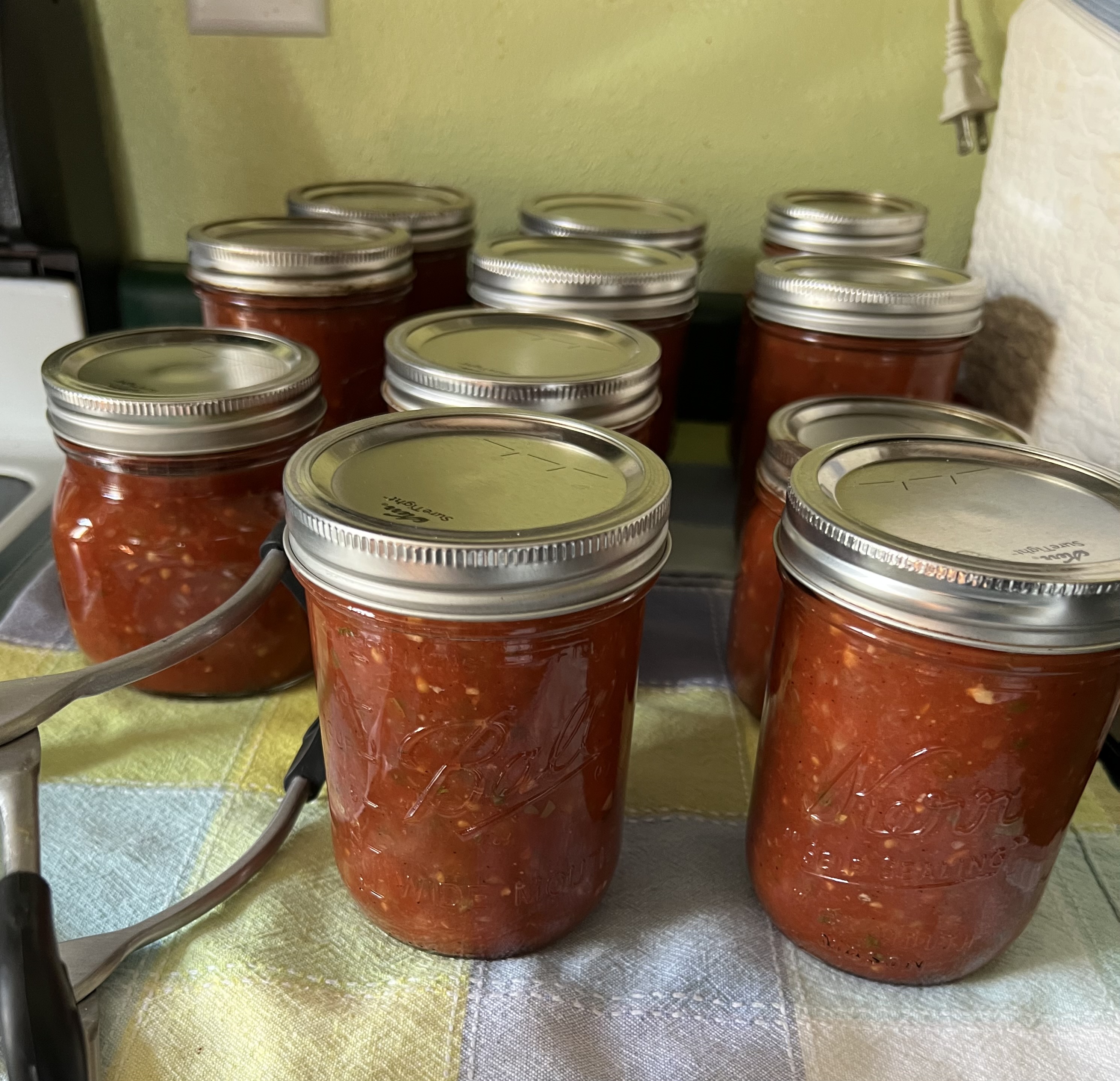
Hmmm, salsa!
We promised ourselves in spring that we were only going to put in three tomato plants. Yeah, well… that didn’t last long. We had several volunteers pop up in various places and MrsGF didn’t have the heart to pull them so we ended up with eight plants, and all of them are loaded with fruit. Two or three days ago MrsGF did about six quarts of tomato soup and today it was salsa. So far we’ve been keeping up but they are just starting to come ripe so we’re going to be deluged with tomatoes here pretty soon. This is not a bad thing, of course. We’d rather have too many than not enough. If they start coming in faster than we can process and can them we just freeze them until we have more time.
One thing we’ve always had good luck with here is peppers. Dear lord, the peppers we got out there this year! We put in more banana peppers than bell peppers this year because we like the flavor better. We’ve been harvesting both varieties for two weeks or more and they’re still going strong. They are easy to deal with. We just wash them, remove the seed pods and then dice them up and freeze them for later use.
We didn’t plant sunflowers this year but we got some anyway. Probably from seeds from the feeder that were dropped by birds. I’m not sure why we didn’t plant any because we both love them and once the flowers fade away we get an additional show when the goldfinches find they have free lunch out there.
And then there’s that one up there. For whatever reason the marigolds have been spectacular this year. Just look at that color! The photo doesn’t do it justice. It’s so bright it almost glows in the dark.
On the telescope front, we finally had a relatively clear night and I was able to get the scope out for an hour or so and got this image.
NGC 7000
As the text says, that’s NGC 7000, the North American nebula. If you sort of squint and tilt your head it sort of kinda looks like the North American continent. According to the most recent data I can find it’s about 2,590 light years away from Earth.
I’m still enormously pleased with that little Seestar S30 Pro and the results it gets here in the poor conditions I have in town.
As I look back over the year, 2026 started out pretty crappy. Right after Christmas I ended up in the ER with a severe case of the flu. As soon as I recovered from the flu I came down with Covid and that laid me up through most of February. Then in May I injured my hip somehow and it wasn’t until mid July or so that I was back to normal.
At the end of July I took the bike in to get new tires. I’m astonished they lasted as long as they did. There were around 1,800 miles on them. While it was in the shop they went through the bike, adjusted the shifters, checked the brakes, did a firmware update on the bike’s computer, and I was finally back on the road again. I’d been inactive for so long that it took a while to back up to my normal level of activity. It wasn’t until this past week that I was comfortably back to doing 10 – 15 mile rides on a daily basis.
Let’s see… Oh, yeah, we have to get some major electrical work done on the house. Just about everything from the point where the electric wires attach to the house from the pole up through and including the meter, meter socket and the main breaker panel need to be replaced. The electrician was here early this morning to look things over. We’ll get a formal estimate in a few days but off the top of his head he figured it was going to be in the $5,000 – $7,000 range, which was actually quite a bit less than what I’d thought it would be. I told him to go ahead and get the ball rolling so he’s going to pull the necessary permits from the town and will get me on the schedule. Probably in about 3 – 4 weeks.
The Bambu P2S 3D printer has been working almost non-stop since I got it and it hasn’t missed a beat. I’m still amazed at how much the technology has improved since I had my old Flash Forge. It’s much faster, is as close to being “Plug ‘n Play” as a 3D printer can get. It has automated bed leveling, automated nozzle cleaning, automatic filament changing, automated calibration, etc.
All of the stuff that used to drive me nuts like doing manual bed leveling with the old Flash Forge is now taken care of automatically by the printer.
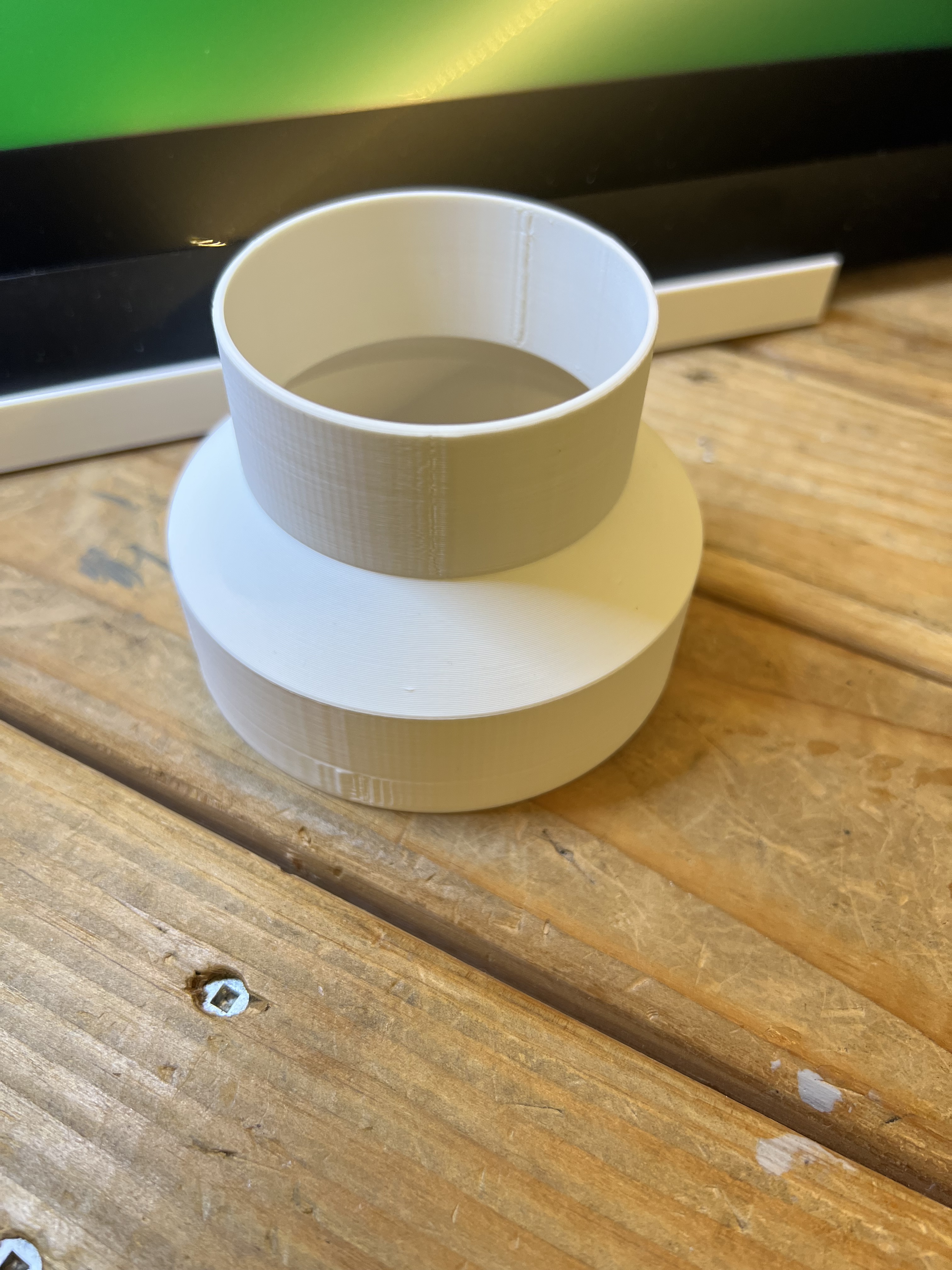
First thing I did was print a whole bunch of parts for my fume extraction system to make my life a little easier. Things like adaptors to go from the 4″ hose my extractor uses down to the size needed for my lasers. That makes life a lot easier.
A variety of other parts and gadgets were printed including some custom stuff for eldest son who dabbles in retr0-computers and occasionally need special parts that can’t be sourced elsewhere any longer.
Yes, they really work.
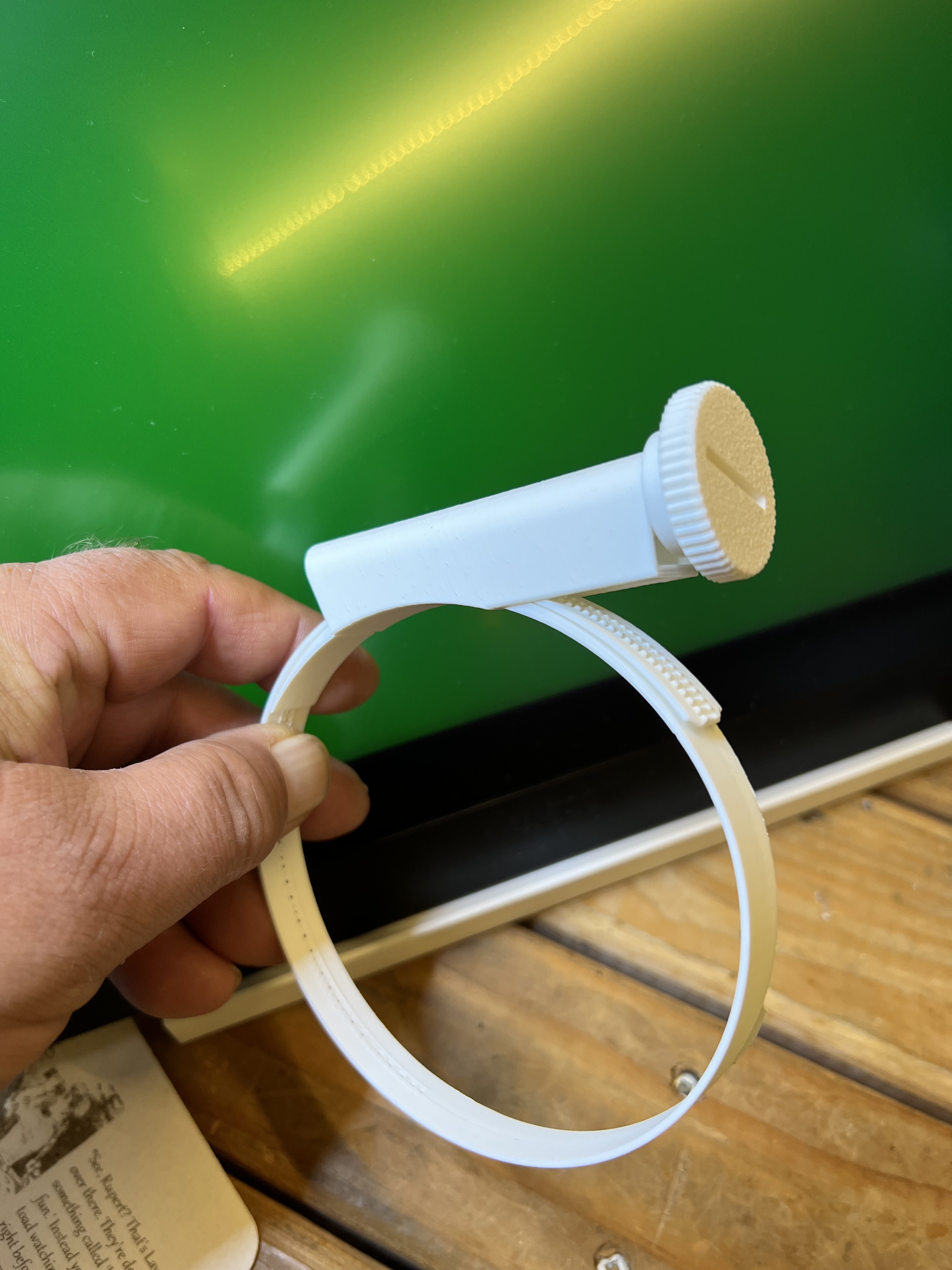
And then I found out I can 3D print hose clamps. Seriously. Actual real hose clamps that work beautifully with my fume extraction system.
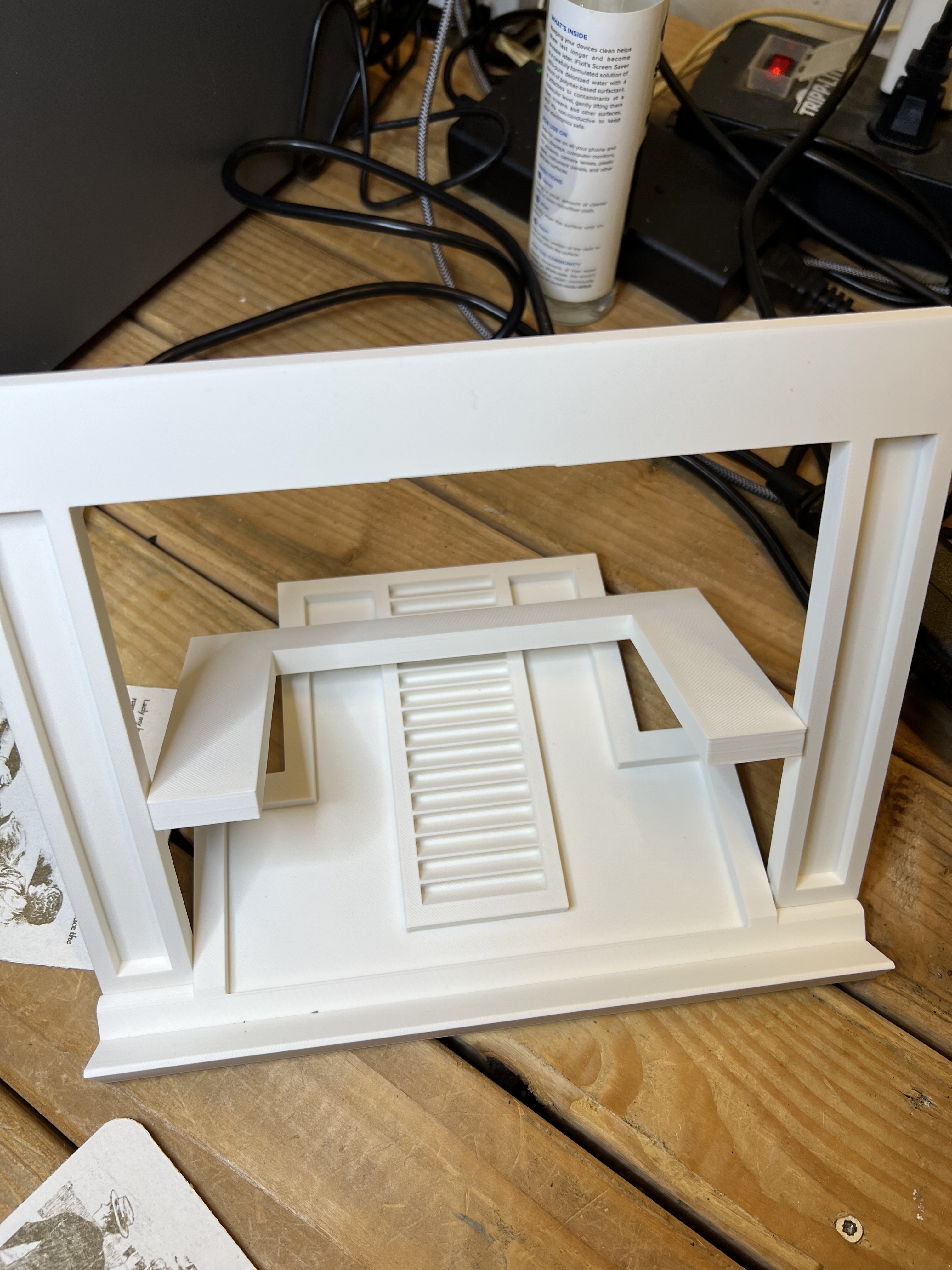
One of the most useful things I found to print was an extremely sturdy and very handy adjustable easel for my Wacom Cintiq graphics tablet.
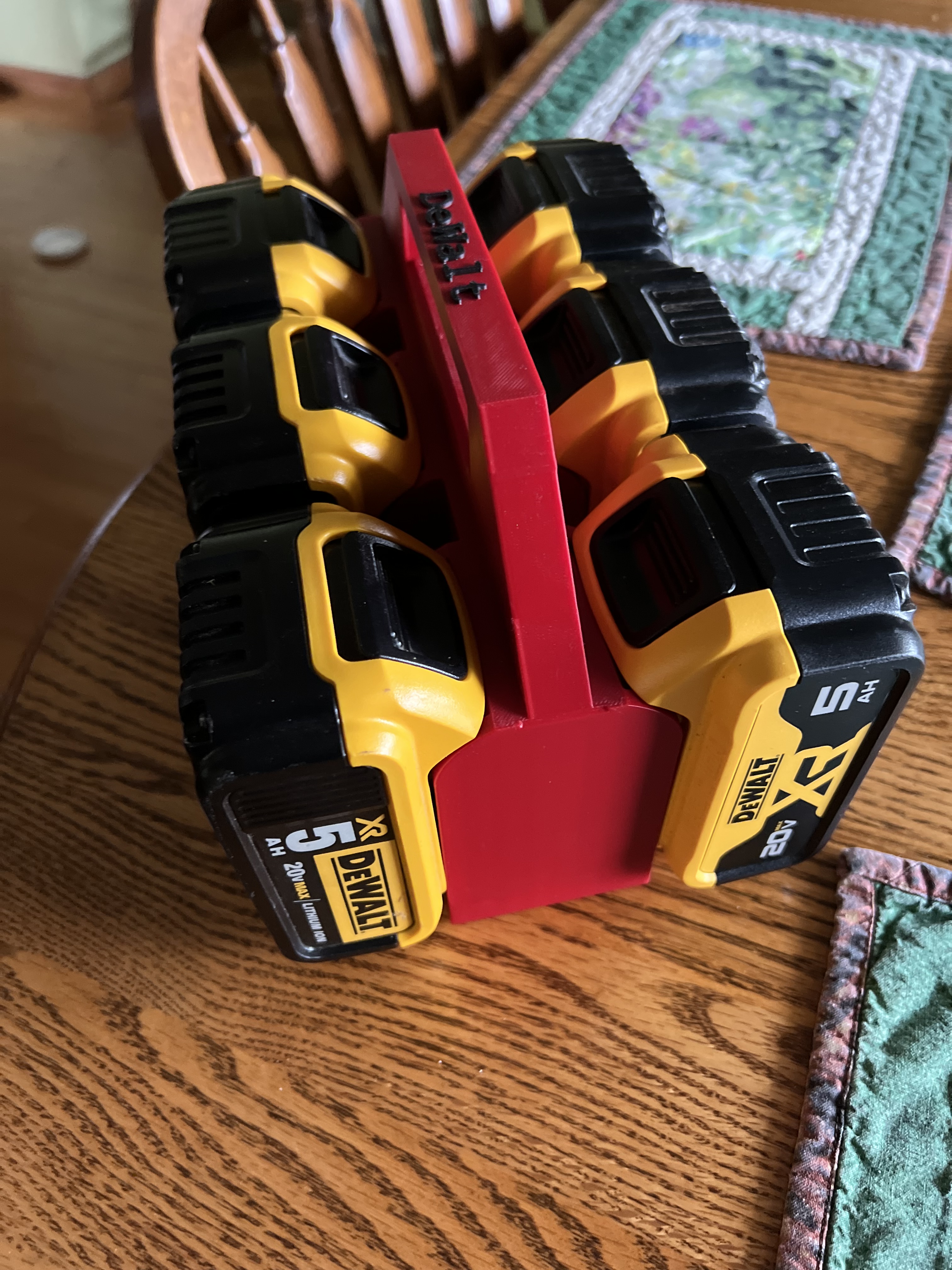
I have a half dozen or more batteries for my Dewalt cordless tools and ran across this one day.
A battery carrier/storage thingie for my Dewalt batteries. This thing is so good and so useful I’m surprised it isn’t a commercial product.
My old 3d printer was, to be honest, little more than a toy that wasn’t good for much except printing mildly naughty anime figurines and novelty items. The technology and materials have now gotten so good it’s producing genuinely useful, durable parts. I’m really pleased with this thing.
I thought about doing some kind of review of the P2S but then decided to not bother. It’s been on the market for some time now and there are dozens of reviews alreayd out there on YouTube, etc.
There is some controversy with Bambu Labs, however. It’s been accused of trying to “lock down” its user environment to make it difficult to do things like use 3rd party slicing software and even filament from other makers. And there is some truth to that. Sort of. Apparently now you can use 3rd party slicing software with a bit of fiddling around.
And as for filament, yes Bambu would certainly love to have you buy materials from them and has made it extremely attractive to do so. Bambu filament comes with RFID tags that are read by the AMS which automatically determines what the material is etc. and automatically sets up all of the correct parameters for using that material. And yes, you will pay a bit more for that convenience. But damn, it works nice. No more scrambling to try to find the exact temperatures, flow rates, etc. for a spool of filament. And it doesn’t cost all that much more than generic filament does, to be honest. And if you buy in bulk they give you huge discounts that eliminates the price difference entirely in some cases.
And it will still work with generic filament. You just need to remember to set the temperatures, flow rates, etc. yourself if you go that way. I’ve gone through a half dozen spools of generic PLA I picked up at Hobby Lobby with no problems at all.
What it all boils down to is Bambu 3D printers are the best selling models on the market right now, and for good reason. My experiences with the P2S have been nothing but positive.
But enough of that, let’s get on with this.
It was an absolutely beautiful day yesterday. So nice that when I went out on the bike I ended up putting almost 15 miles on. Rolling down the trails through the woods was absolutely delightful.
But wow, it’s dry here. The branch of the Manitowoc river that runs under the old stone bridge north of town is almost completely dried up.
There are places where you could almost walk across the river without getting your feet wet. I have seen it worse.
And with the low water level crap like this starts to pop up:
WTF is wrong with people? Seriously. I would dearly love to have the people who toss their trash into the river get not just seriously fined but do jail time too. There is simply no excuse for this. We’ve fished old computers, television sets, tires, car parts, car batteries, refrigerators and in one case a complete suite of living room furniture including a sofa, loveseat and recliner, out of that river.
The DNR used to have a sign there warning people that they had cameras set up to catch people doing this. I noticed that the sign has, of course, been stolen. Sigh. The cameras are still up, though, hidden in the trees. So I sincerely hope that they catch the weasel who dumped these tires.
On a more pleasant note, we finally got some rain this morning! We got almost an inch of rain which we needed desperately.
Also MrsGF is finally back from almost a week long trip to Atlanta to some conference so I’m less grouchy than usual.
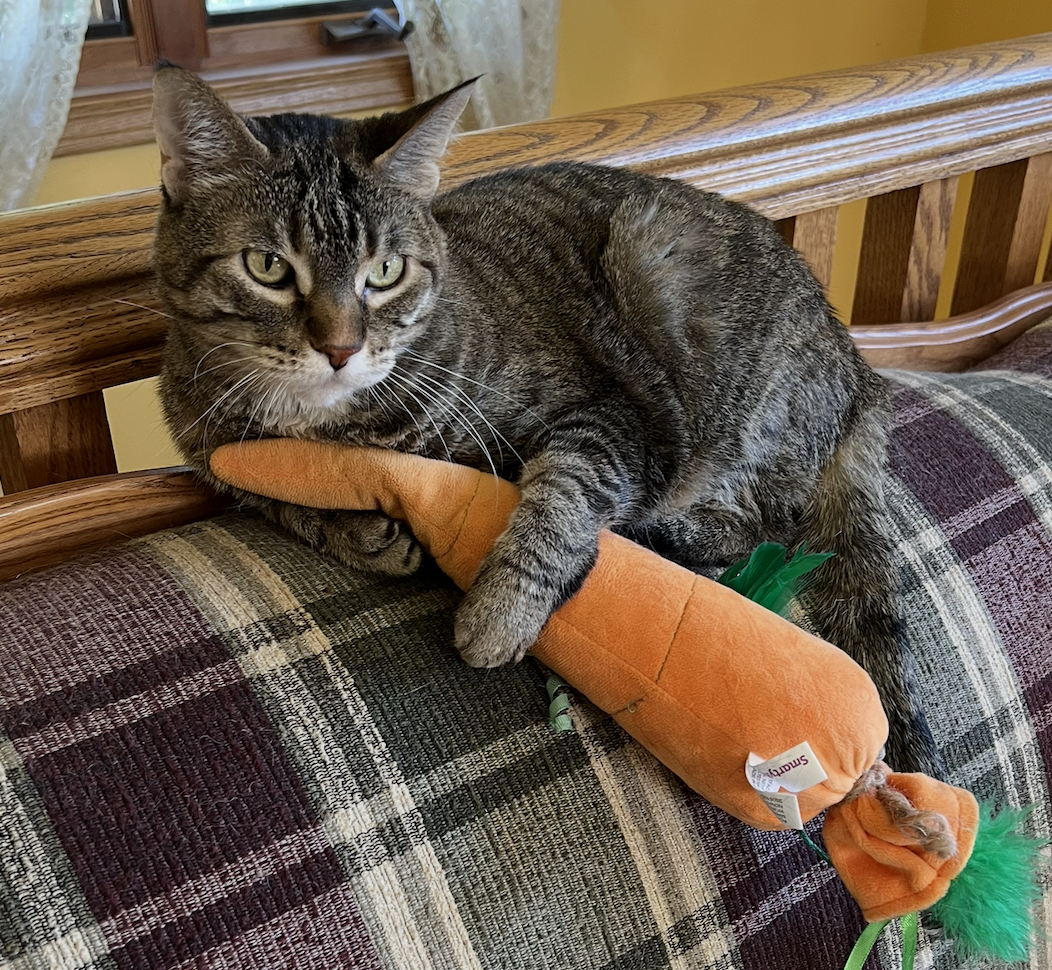
And to wrap things up, how about a cat holding a carrot?
Yes, it’s record sorting and pricing time again! Actually a lot of records have been through here since I did these little mini record reviews but there wasn’t anything exceptional enough to even bother mentioning.
As always, all records mentioned here (whether good or bad) are available for sale at the St. Vincent de Paul shop in Hilbert, Wisconsin on Hwy 57. Proceeds from all sales go to help our neighbors in need. We do not sell on the internet. We do only in person sales at the store.
Technical details: Every LP I get through here is examined for defects. Discs that are scratched, cracked or otherwise damaged in ways that might harm someone’s turntable are go in the bin. If I wouldn’t play it on my own equipment, I sure as heck am not going to put it out for sale. Almost all of the LPs that I get require cleaning. I mean… Come on, people, what the heck do you do with some of these albums, use them to serve pizza or something? Sheesh. Prices are determined by “fair market value” and we charge 1/3 of that price. So an album that’s selling for an average of $15 on eBay or Discog or wherever will go for $5. An album that sells for $5 will go for a buck.
Let’s start out with an absolute stinker.
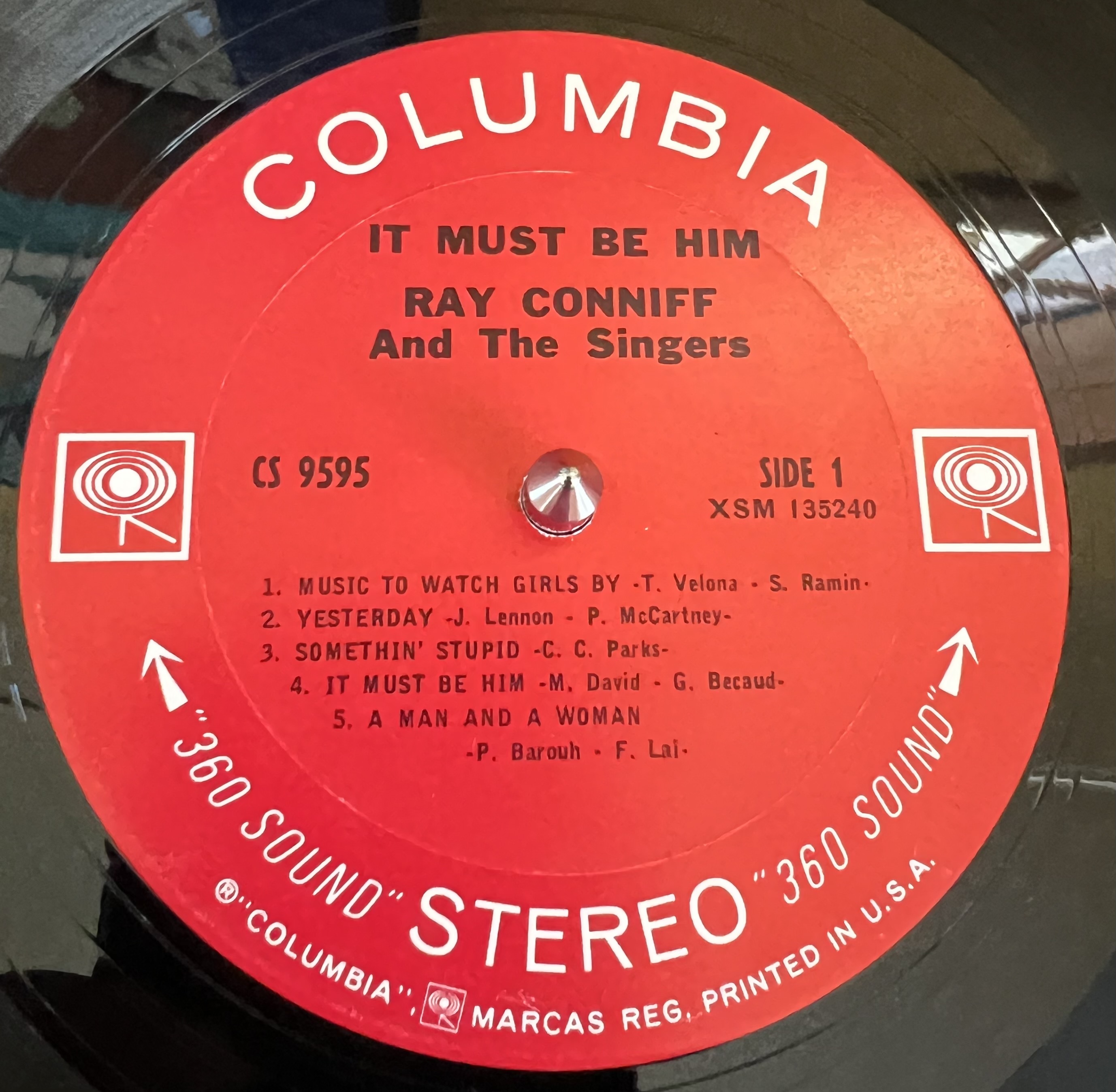
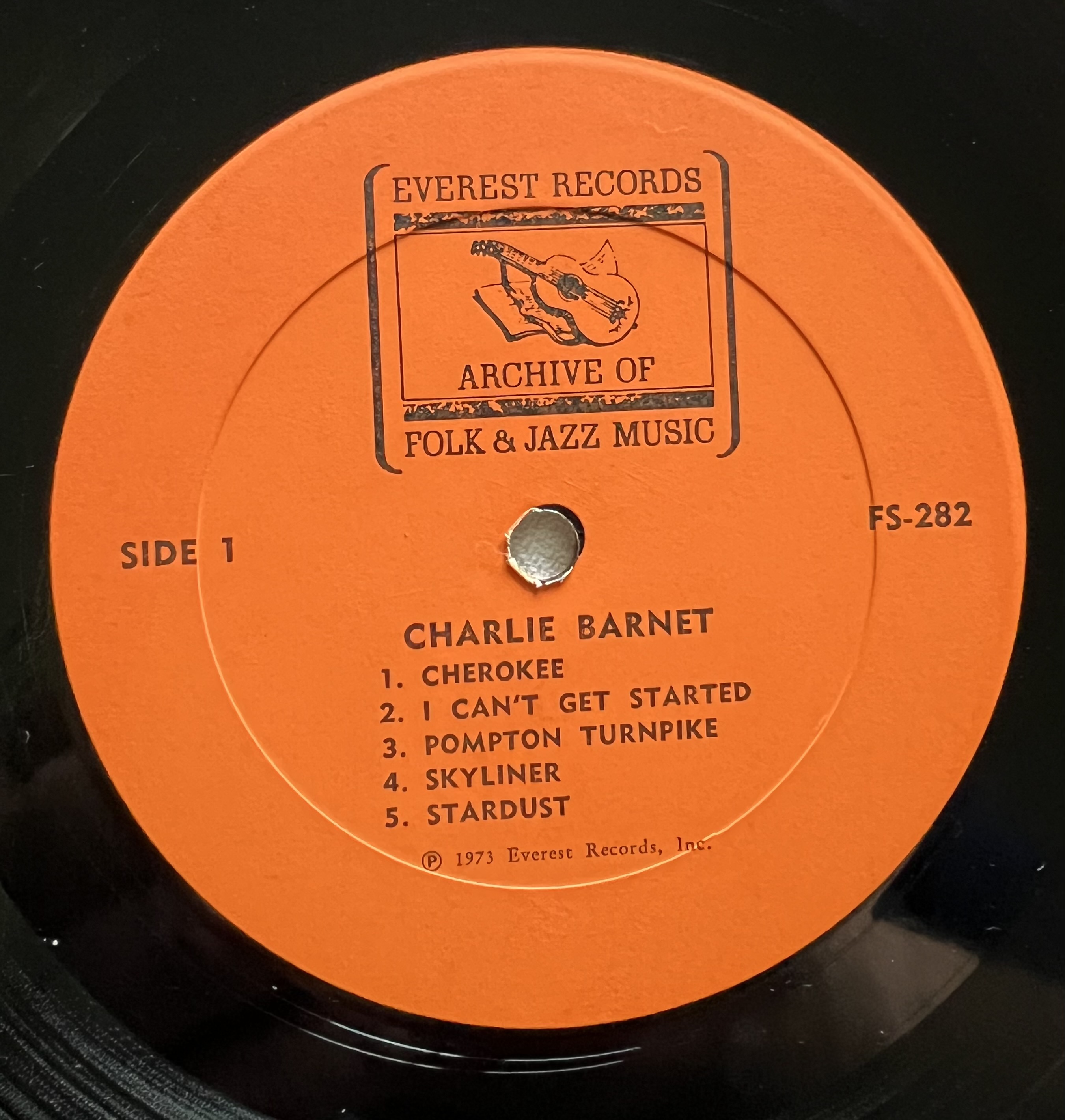
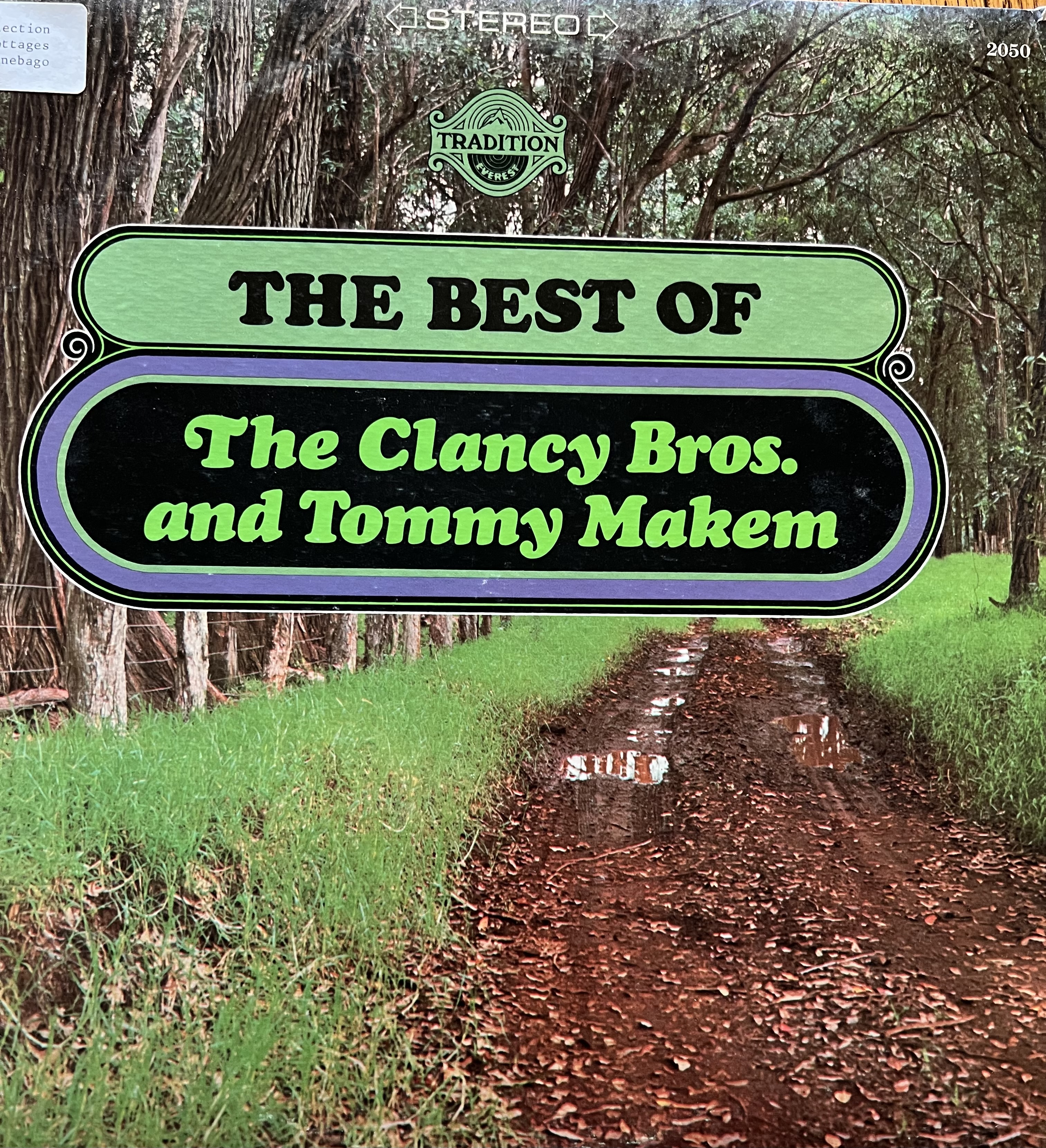
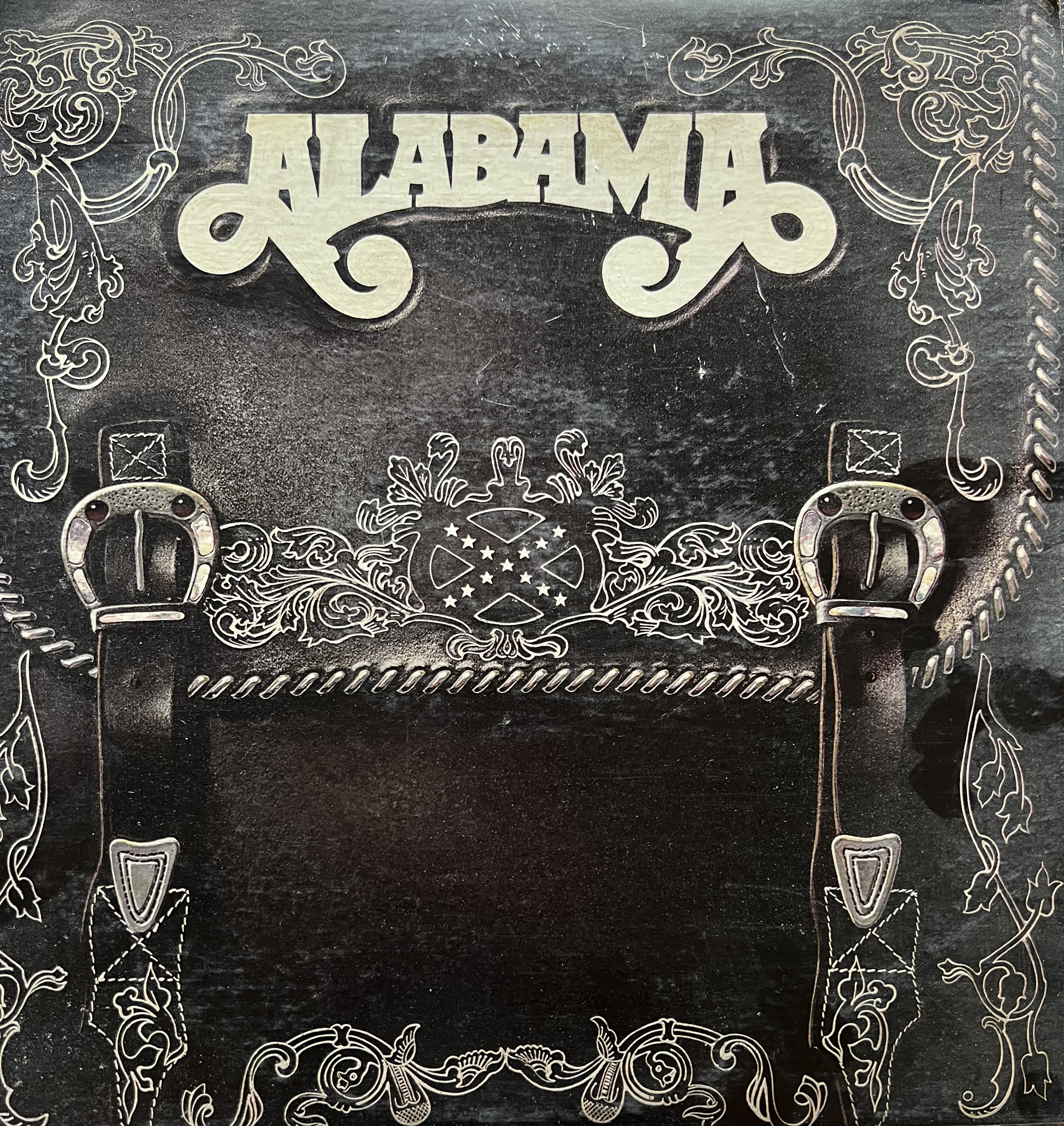
Yes, it’s the Ray Conniff Singers (shudder). The epitome of the genre that people of my generation called “elevator music”. They took popular songs of the day, removed every trace of originality and emotional content, ran it through the washing machine of dullness, then applied a heavy coating of boring, and this is what we ended up with. Generic background music designed to be utterly ignorable. No outer jacket but the record itself is in pristine, 100% playable condition. Unfortunately. And it can all be yours for just $1 !!! Now you’d think I must have something good to say about this one. I mean it’s Beethoven’s Concerto #5 in E-flat, for heaven’s sake. And normally I would. Firkusny on piano is technically brilliant and the Pittsburgh Symphony Orchestra was no slouch either when this was produced. But… But dear lord is this recording bad! I don’t know if something happened in the pressing process, in the production process, or what. But it sounds like someone ran it through filters that dulled down the brilliance of the sound. I can admire the technical expertise of the artists, yes, but the sound quality of the recording itself is abysmal and almost lifeless. You can pick this one up for $1 but personally I wouldn’t bother. There are much, much better recordings out there.Unlike poor Beethoven up there, this one is absolutely brilliant. The philadelphia Orchestra conducted by Eugene Ormandy doing Christmas classics in a brilliantly produced recording and a disc that is in almost perfect condition. $3 at the store.A lot of amazing things came out of the Renaissance. This is not one of them. The performances by the singers and musicians are technically excellent but for anyone except a scholar of the period the music itself is, frankly… Well let’s put it this way: When it comes to this album, what happened in the Renaissance should have stayed in the Renaissance. $1Remember what I said about Ray Conniff? Ditto for this one. There is no excuse for this album to even exist. The 101 Strings weren’t even an actual orchestra. They were a mixed group of studio/free lance musicians that were hired by the job to make this drivel by a fellow named David Miller between the late 1950s and around 1980. Miller cranked out 150 of these albums. Seriously. 150 of them. $1This one was a total surprise. It was stuffed into the same jacket as the 101 Strings album was and is without an outer jacket. Barnet was a jaz saxophone player, composer and big band leader. I had to run this one through the washer three times to get it clean but now the disc is in nearly perfect condition and it was worth the effort. No skips, no hiss, no pops. it plays like a new pressing. If you enjoy big band jazz music you need this recording. Unfortunately because it has no jacket or inner sleeve I’m going to have to put a generic white sleeve on it and can only put $1 on it. If it gets to the store, that is. I’m very, very tempted to keep this one for myself. It’s that good.The Clancy Brothers and Tommy Makem were very popular back in the 1950s and 60s. They made appearances on the Ed Sullivan television show, Newport Folk Festival and other prominent venues. They continued to perform until 1998. If you want to know more about them you can go to https://en.wikipedia.org/wiki/The_Clancy_Brothers This album is in excellent condition with some minor damage to the corners of the outer jacket. The disc needed cleaning but came out beautifully and plays with no hiss, pop or skps. Not everyone’s cup of tea I admit, but for folk singing enthusiasts it’s a real bargain at just $1 at the store.Hey, it’s Boston, all right? What can I say? This is a original copy of their debut album. The outer jacket is in worn condition with corner damage but the disc itself has been thoroughly cleaned in the disc washer and plays beautifully on my turntable with no hiss, pops or skips. If I already didn’t have this one in my personal collection it would never make it to the store. Just $5 at the store in Hilbert.I don’t like Alabama. Not even a tiny, tiny bit. I dislike their whiny, sappy love songs and everything else about them. They’re what I call a purely commercial band. Their music is carefully crafted not to be a genuine expression of their feelings, but carefully and cynically designed to get emotional reactions out of people so they can suck up all that yummy, yummy money. But that’s why I’m here too, to try to get your money for our charity. So I have to grit my teeth and try to sell this sucker for $2
And now I’m getting bored and I’m sure you are too so let’s wrap this up.
As noted above, all of the records listed here are available at the St. Vincent store in Hilbert. So if you get in the area, stop in and check the place out.